
Joining a server
The FlightOut Multiplayer screen in detail: callsigns, the official server and its status, joining by address, and what every connection message means.
On this page
Open MULTIPLAYER from the main menu. From top to bottom:
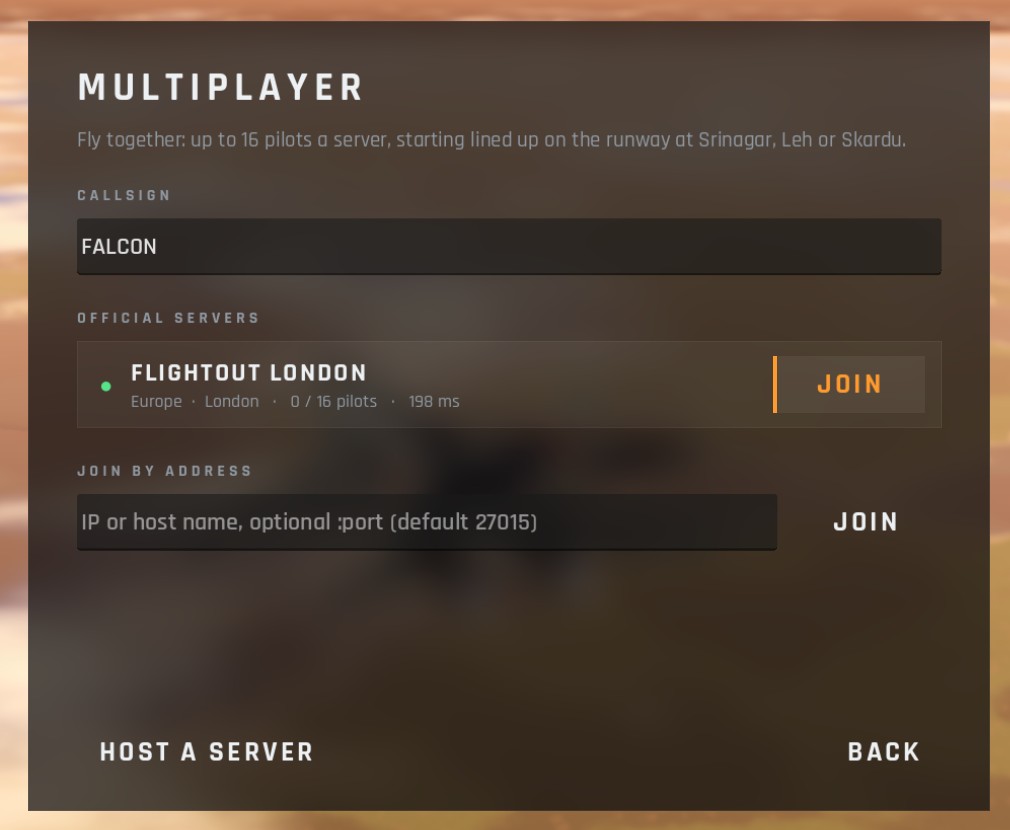
Your callsign
Your name in the sky: other pilots see it over your jet and in the kill feed.
- Up to 20 characters, any characters. Spaces at the start and end are dropped.
- Leave it empty and FlightOut makes one up for you, Pilot and a number, when you join or press HOST A SERVER.
- It's saved for next time.
- Names don't have to be unique: two pilots can have the same one.
The official server
FlightOut London (Europe, London; address play.flightout.app). Its card shows:
| Dot | Text | Means |
|---|---|---|
| Green | N / 16 pilots · NN ms | Online with room. ms is your ping: the time for a message to go there and back |
| Amber | 16 / 16 pilots | Full: wait, it's checked again every 6 seconds |
| Red | runs a different game version | You and the server have different multiplayer versions: update the game (or wait for the server to be updated) |
| Red | offline | No answer within 4 seconds |
| checking... | Asking the server for its status |
Press JOIN. It's greyed out when the server is full, offline or on a different version, or while you're already connecting.
There's no list of community servers yet: to join anyone else's, use Join by address.
Joining by address
Type the server's address in JOIN BY ADDRESS and press JOIN (or Enter):
- a host name or an IP address, for example
myserver.example.com; - add :port if it isn't the usual 27015, for example
myserver.example.com:27020.
The address is remembered for next time.
What happens when you join
- Connecting to FlightOut London... (or to the address you typed).
- Joined FlightOut London. Taking you to slot NN. in green: you've got a place. The slot number decides where you start (see Flying online).
- The loading screen, then you're on the runway.
Messages you might see
| Message | What it means and what to do |
|---|---|
| Enter a server address, or join an official server above. | You pressed JOIN by address with the field empty |
| Could not resolve . | The host name doesn't exist, or your internet connection is down. Check the spelling |
| No answer from host:port. Check the address, and that the server is running and reachable (UDP 27015). | No reply within 8 seconds: wrong address, the server isn't running, or a firewall or router is blocking it. (It always says 27015, even if you typed another port) |
| Version mismatch: this server runs FlightOut protocol N, you have M. Update the game. | Different multiplayer versions. Update whichever is older: your game or the server |
| Server is full (16 pilots). | Wait and try again |
| The server closed the connection. | The server turned you away without saying why, or it shut down |
| Could not open a network socket. | Your computer wouldn't let FlightOut use the network. Check your firewall |
| Connection to the server was lost. / Network error. | In flight: the connection dropped (nothing heard for about 4 to 8 seconds). You're taken back to the Multiplayer screen, which shows the message in amber |
There's no automatic reconnect: press JOIN again. You'll get the lowest free slot, which may not be the one you had.
Starting straight into a server
Advanced: you can start FlightOut and join a server in one go from a shortcut or a terminal. See Command-line options.
Checked against FlightOut 0.5.2.