
The HUD in combat
What the Su-27's HUD shows in the BVR, WVR, GUN and GND master modes, and the target box, seeker and lock symbols.
On this page
Each master mode changes the HUD. The speed and altitude boxes, the autopilot line and the red warnings are on every page; the rest changes. NAV is described in The HUD in NAV mode.
The target box (all modes)
When the radar is locked:
- a small square sits on the target. It flashes while the lock is being made;
- if the target is outside the HUD, the square stays at the edge and a line from the centre points towards it;
- R (range, in NM or km) and VC (closure speed) show at the lower right;
- LOCK LOST flashes in the centre for 2 seconds if the lock breaks.
BVR (2)
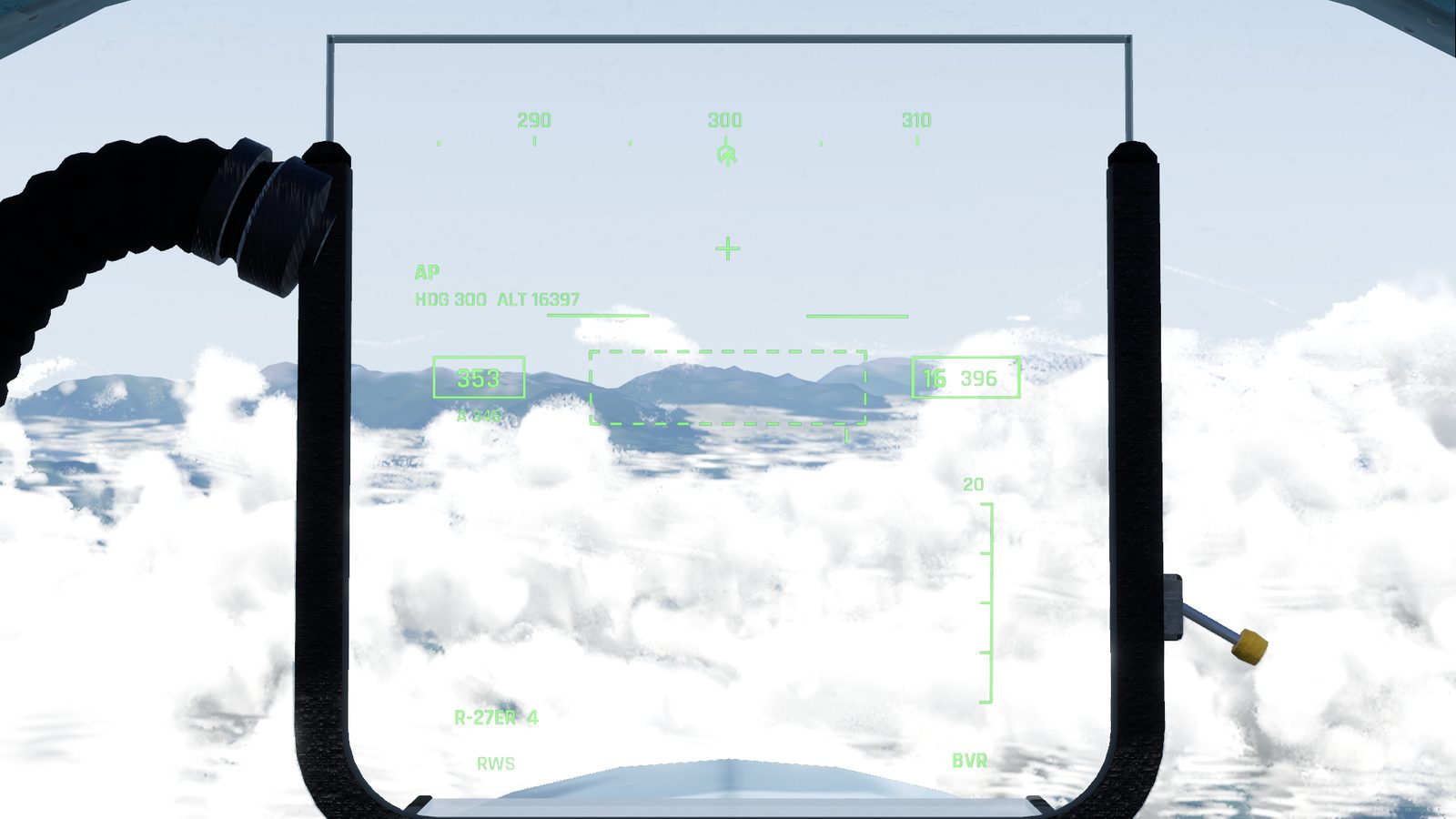
For long-range radar work. The pitch ladder and flight path marker are gone, leaving more room:
- Heading tape and a short horizon line.
- Scan zone: a dashed frame showing how wide and how tall the radar is scanning, with a tick for the antenna.
- Range scale on the right, the radar's range at the top. With a lock, a caret shows the target's range, and marks show the selected missile's launch zone: its longest range, the range it can't escape from, and its shortest range.
- LA (launch authorised) flashes under the centre when the selected missile can be fired.
- After a launch, T counts down the seconds until the missile reaches the target.
- The selected missile and how many you have, or NO MSL; and the radar state: RWS, TWS, ACQ or LOCK.
WVR (3)
For close combat:
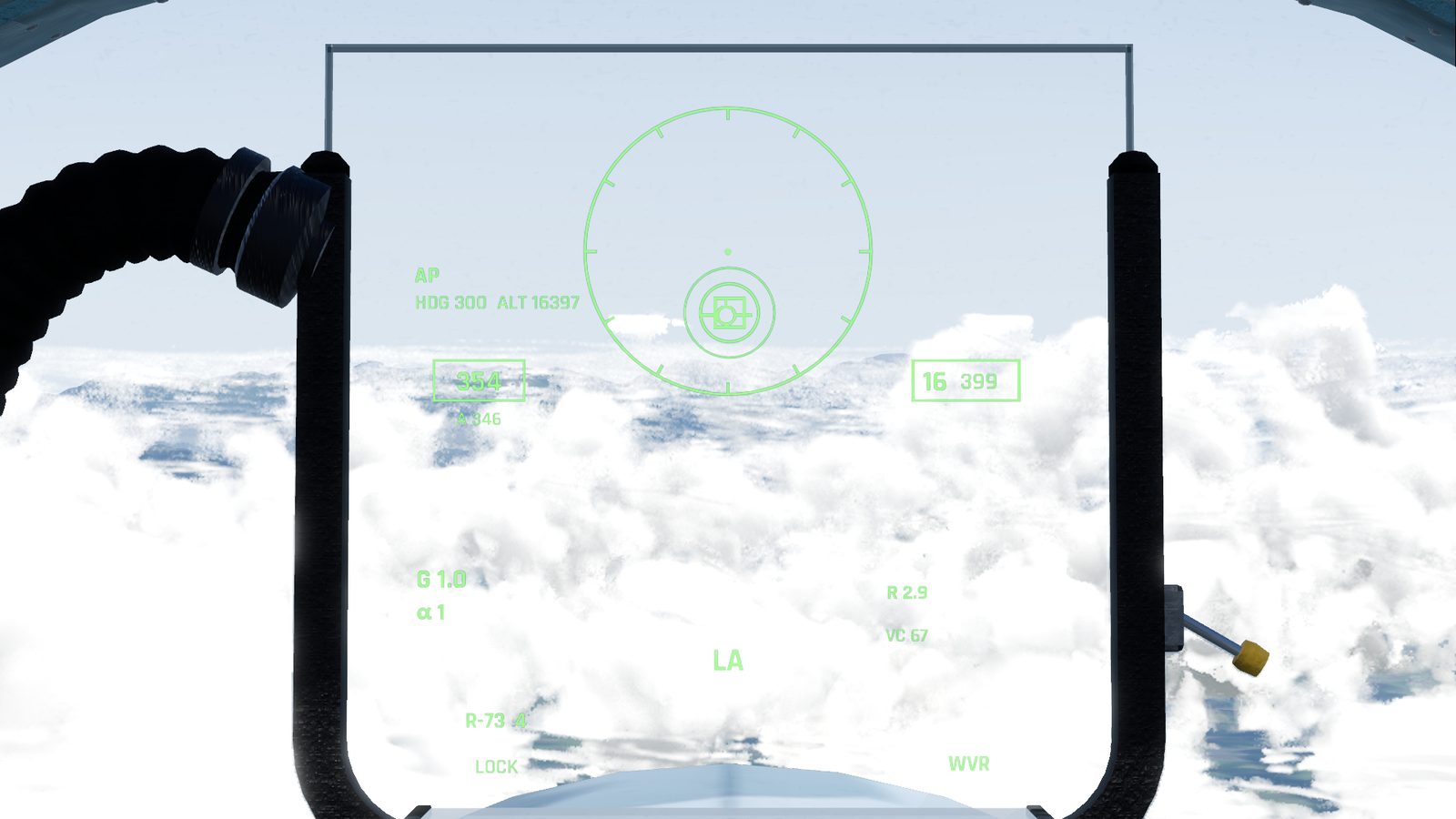
- An aiming circle in the centre, about 5.4° across.
- Where the close combat radar is looking, until it locks: two lines up from the nose for VS, a small circle for BORE, four corner marks for HUD.
- The flight path marker, and big G and α (angle of attack) readouts on the left: in a turning fight you watch these, not the speed.
- The seeker circle, LA, T, the selected missile and the radar state, as in BVR.
GUN (5)
- Without a lock: a funnel, two curved walls showing where the shells go. Put the target between the walls, where its wingspan fills the gap.
- With a lock, once the target is within the shells' reach (about 2.5 seconds of flight): a lead computing sight: a cross in a ring, with an arc that shrinks as the range closes and the range in metres. SHOOT appears between 200 and 800 m. Put the cross on the target and fire.
- GUN and the rounds left (150 when full), the flight path marker, G and α.
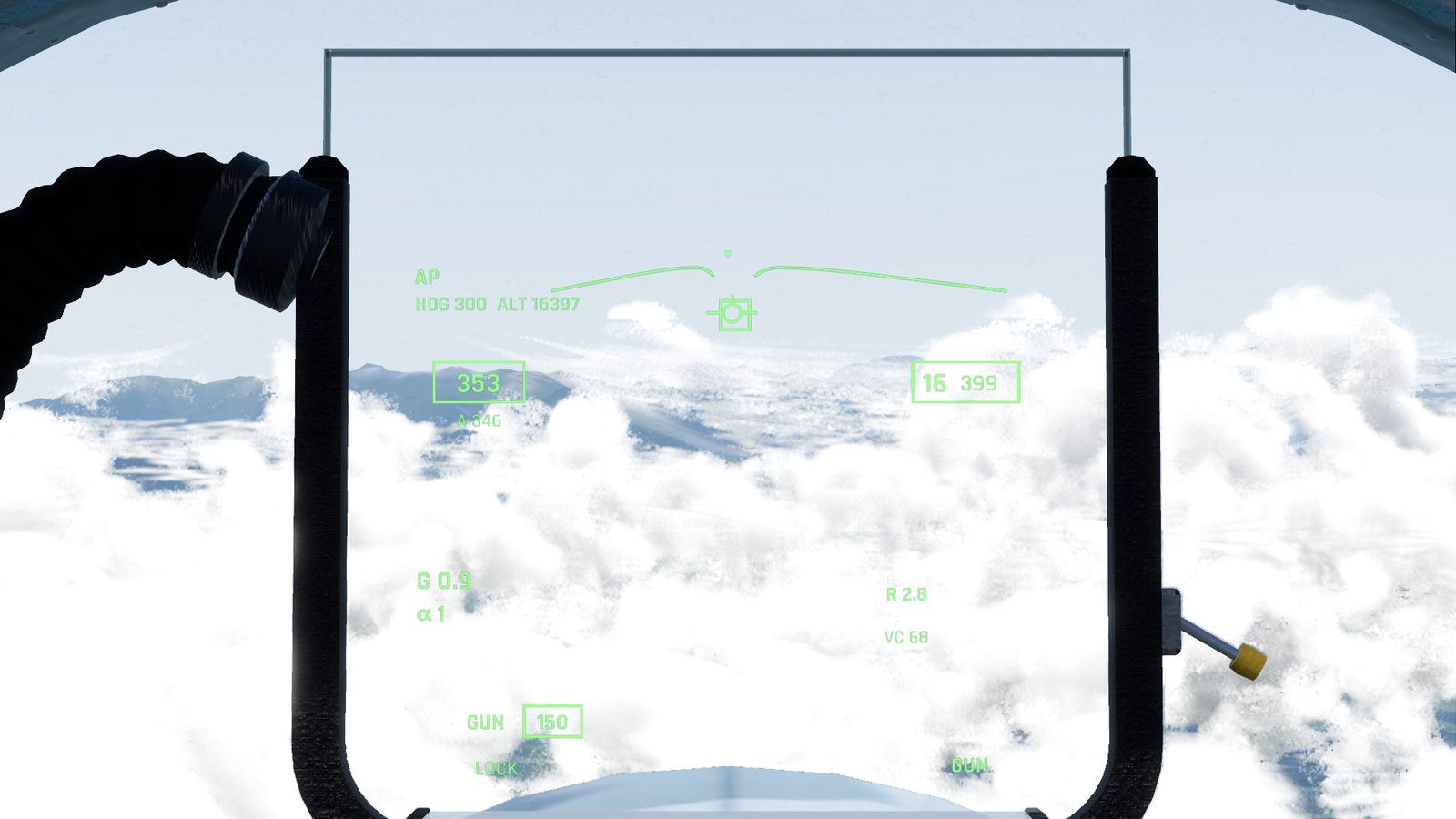
Space fires the gun in GUN mode, in the air.
GND (4)
A bombing sight: a pipper on a fall line from the flight path marker, with the height above the ground (AGL). There are no air-to-ground weapons yet, so it shows NO STORES.
The missile seeker
With a heat-seeking missile selected (R-73, R-27T or R-27ET) in BVR or WVR:
- The seeker looks straight ahead in a small cone, or, when the radar is locked, at the radar's target, as long as it is within the missile's launch limits (45° off the nose for the R-73, 50° for the R-27T and R-27ET).
- When it sees a hot target, you hear a growl and a small circle on the HUD flashes.
- After half a second on the same target it locks: a steady tone, and the circle stays steady with a ring round it.
It locks by itself; there is no key to uncage it. It can't tell friend from foe. Radar missiles have no seeker cue: they use the radar lock.
Checked against FlightOut 0.5.2.