
Display settings
Window mode, vertical sync, frame rate limit, render scale and upscaling, field of view, and the picture's brightness and colour.
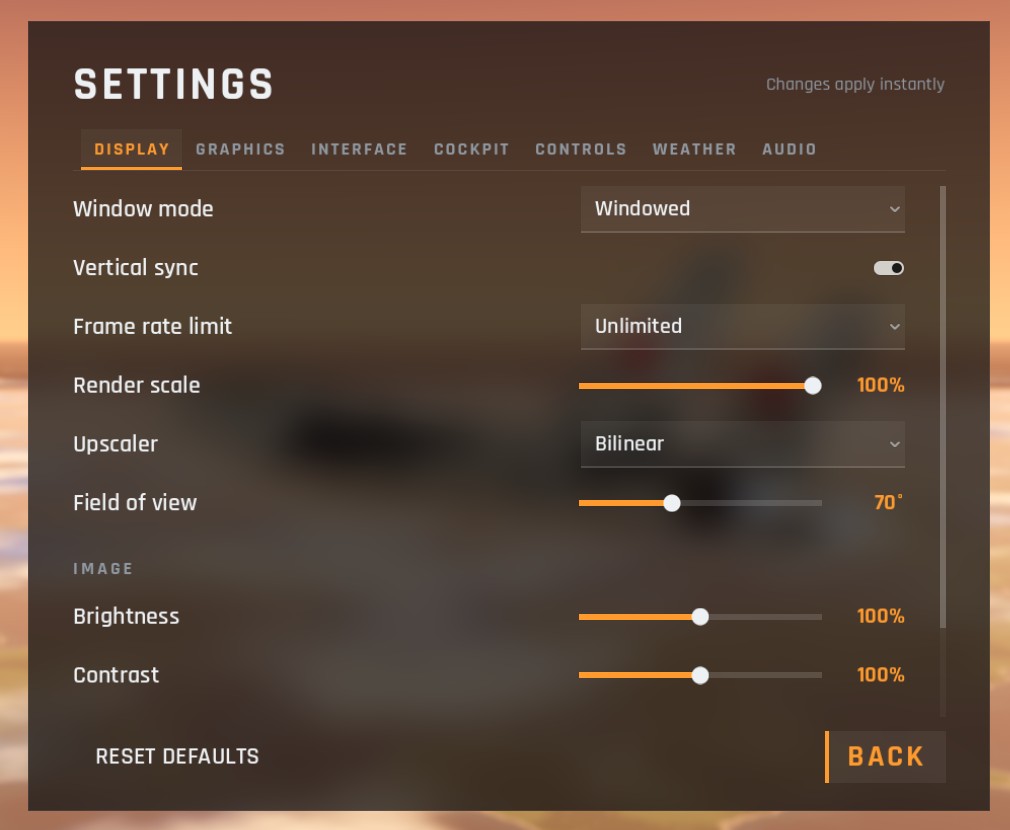
| Option | Choices | Default | What it does |
|---|---|---|---|
| Window mode | Windowed, Borderless fullscreen, Exclusive fullscreen | Windowed | Exclusive fullscreen can be slightly smoother; borderless switches to other programs more easily |
| Vertical sync | On, off | On | Matches frames to your screen and removes tearing. Off can lower input delay but may tear |
| Frame rate limit | Unlimited, 30, 60, 120, 144, 240 | Unlimited | A cap saves power and heat, useful on laptops |
| Render scale | 50% to 100% | 100% | The resolution the 3D world is drawn at. Lower is faster and softer |
| Upscaler | Bilinear, AMD FSR 1.0, AMD FSR 2.2 | Bilinear | Sharpens the picture back up when the render scale is below 100%. FSR keeps it sharper than bilinear |
| Field of view | 55 to 95 degrees | 70 | How wide you see. Cockpit zoom is measured from this |
| Brightness | 50% to 150% | 100% | |
| Contrast | 50% to 150% | 100% | |
| Gamma | 0.60 to 1.60 | 1.00 | Lifts or deepens the mid-tones; useful if night flying looks too dark |
| Saturation | 0% to 200% | 100% | Colour strength |
The Upscaler, Ambient occlusion and the fullscreen modes are fixed in the browser version.
Checked against FlightOut 0.5.1.