
Displays
The Su-27's three cockpit displays: the radar page, the situation map, systems, weapons and the threat page, and every button on them.
On this page
The cockpit has three displays: a large one on the left, a narrow one in the centre and a large one on the right. Each shows one page at a time.
| Display | Starts on | Pages |
|---|---|---|
| Left | RDR | RDR, SA, SYS, WPN, EW |
| Centre | SYS | SYS, EW, WPN |
| Right | SA | RDR, SA, SYS, WPN, EW |
Working them
- Click the buttons round the edge with the mouse, in the cockpit view. A button works when there's a label on the screen beside it; the label flashes when you press it.
- The bottom row picks the page. The page you're on is boxed.
- There are no keys for the pages, but the radar keys (R, 9, Home, End, Enter and the others) work whatever page is showing.
- Double-click a display to lean in and read it; double-click again to sit back.
RDR: the radar picture
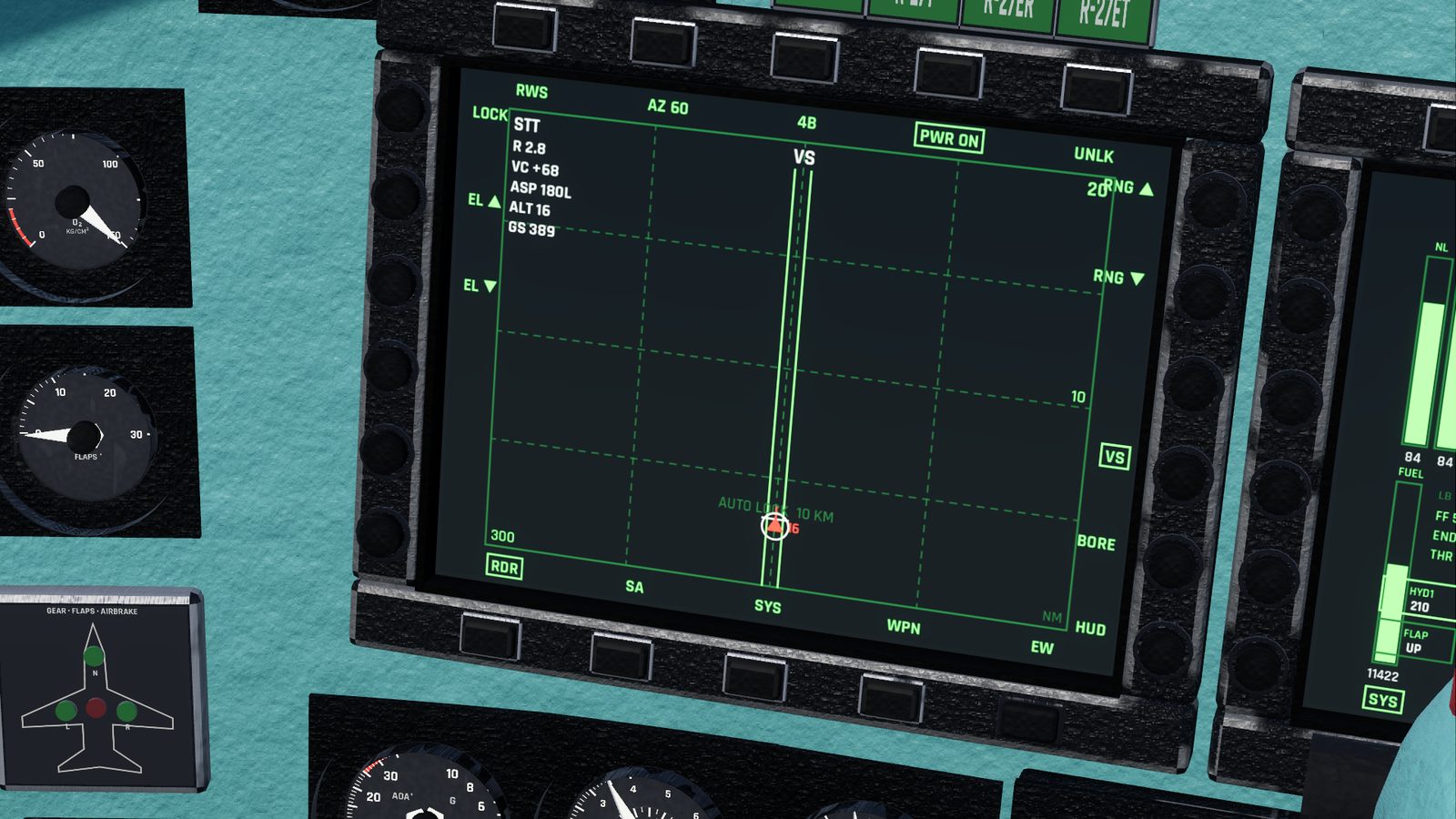
The radar page is a B-scope: left and right is the direction from your nose (±60°), up is range. You are at the bottom centre.
What's on it:
- Top centre: the radar mode (RWS, TWS, VS, BORE, HUD).
- Right edge: the range scale at the top and half of it in the middle, and NM or KM.
- Bottom left: your heading; above it, the antenna elevation (EL).
- Scan marks: ticks at the top and bottom edges show the scan width; a caret under the picture shows where the antenna is pointing; marks on the left edge show the bars.
- Contacts, coloured red (hostile), cyan (friendly) or yellow (unknown), each with its altitude in thousands of feet (or hundreds of metres):
- RWS: bricks, bright when just seen, fading as they age;
- TWS: triangles with a line showing their course;
- locked: a white circle.
- Target designator: two short vertical bars, with the altitude band the scan covers at that range.
- Lock data, top left, once locked: STT, range R, closure VC, aspect ASP (0 nose-on, 180 tail-on, with L or R for the side you see), altitude ALT and speed GS. ACQ flashes while the lock is being made.
- In the close combat modes the picture shows where they look, and AUTO LOCK 10 KM.
Buttons:
| Where | Label | Does |
|---|---|---|
| Top | RWS / TWS | Switch between the search modes; from VS, BORE or HUD, back to RWS and BVR |
| Top | AZ 60 / 30 / 15 | Scan width: ±60, ±30, ±15° |
| Top | 4B / 2B / 1B | Bars: 4, 2, 1 |
| Top | PWR | Radar on or off |
| Top | UNLK | Drop the lock (shown while locked) |
| Right | RNG ▲ / ▼ | Range scale longer or shorter |
| Right | VS / BORE / HUD | Close combat modes (switches to WVR) |
| Left | LOCK | Lock the contact under the designator |
| Left | EL ▲ / ▼ | Antenna up or down 2° |
You can also click the picture: on an empty spot to move the designator, on a contact to lock it, on the locked contact to unlock.
SA: the situation map
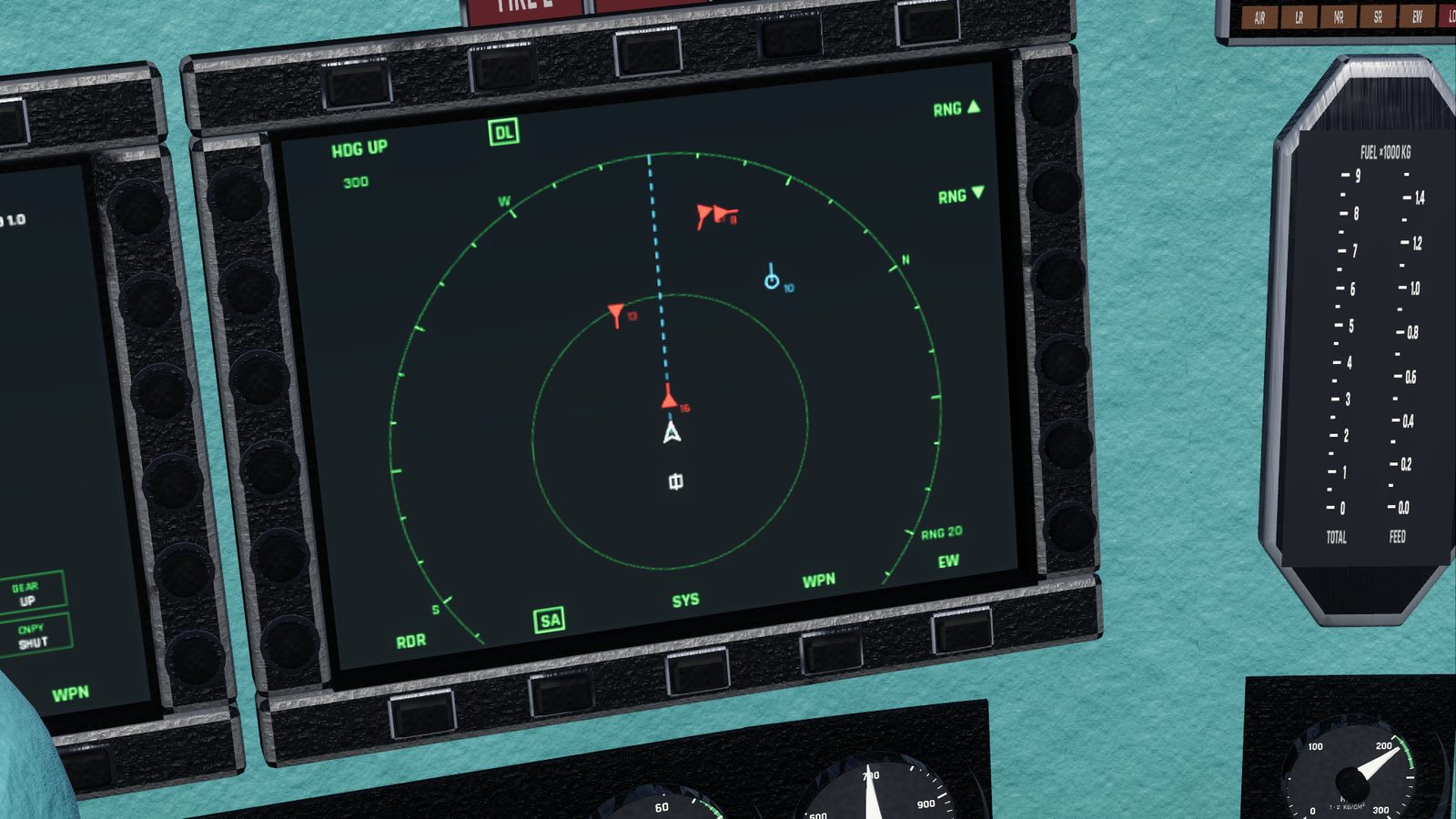
A top-down map around your jet:
- Your jet is the white symbol about two-thirds of the way down, so you see more ahead than behind.
- Heading up (your nose at the top) or north up: the HDG UP / N UP button at the top.
- Range: the same scale as the radar, with rings at full and half range. RNG ▲ / ▼ on the right.
- Contacts the radar has found, with their course line and altitude: circles for friendlies, triangles for the rest. A locked contact is boxed.
- Your home airfield: a square with a line through it.
- With the autopilot on, a dashed line shows the heading it's flying.
The DL (datalink) button is for contacts passed on by an AWACS. There are no AWACS in the game yet, so it has no effect.
SYS: the jet's systems
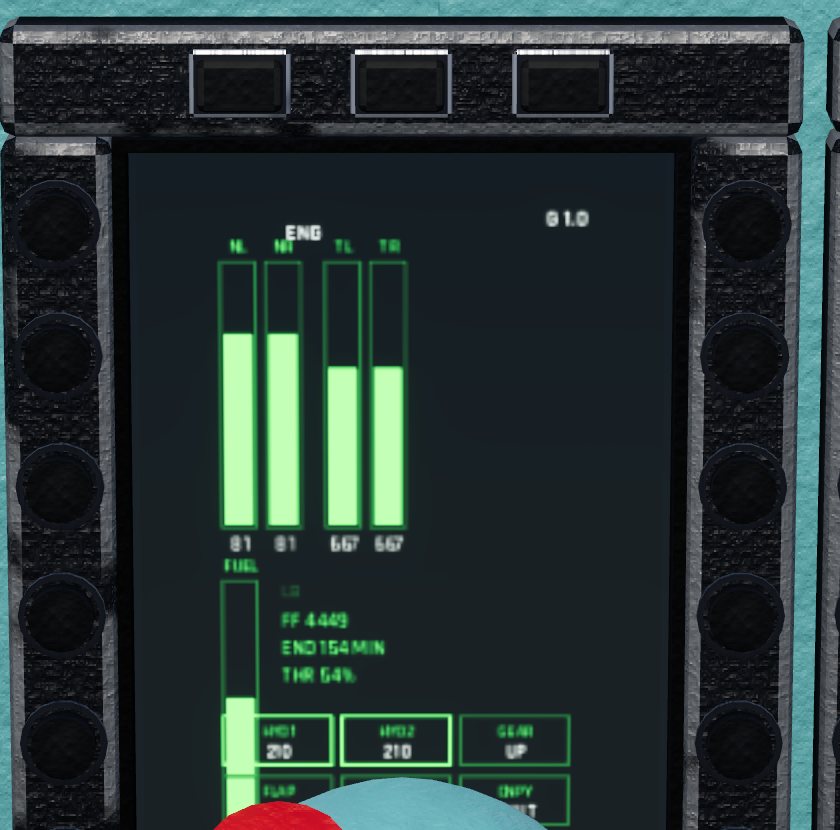
- ENG: engine speed (NL, NR), red in afterburner, and exhaust temperature (TL, TR) for each engine.
- FUEL on board (kg or lb), red below 1,200 kg; FF, the fuel flow per hour; END, how many minutes of flying that leaves you at the present burn; THR, the throttle setting.
- HYD1, HYD2: hydraulic pressure.
- GEAR, FLAP, A/BRK, CNPY: gear, flaps, airbrake and canopy.
- G, top right.
There are no buttons.
WPN: weapons and the ground crew
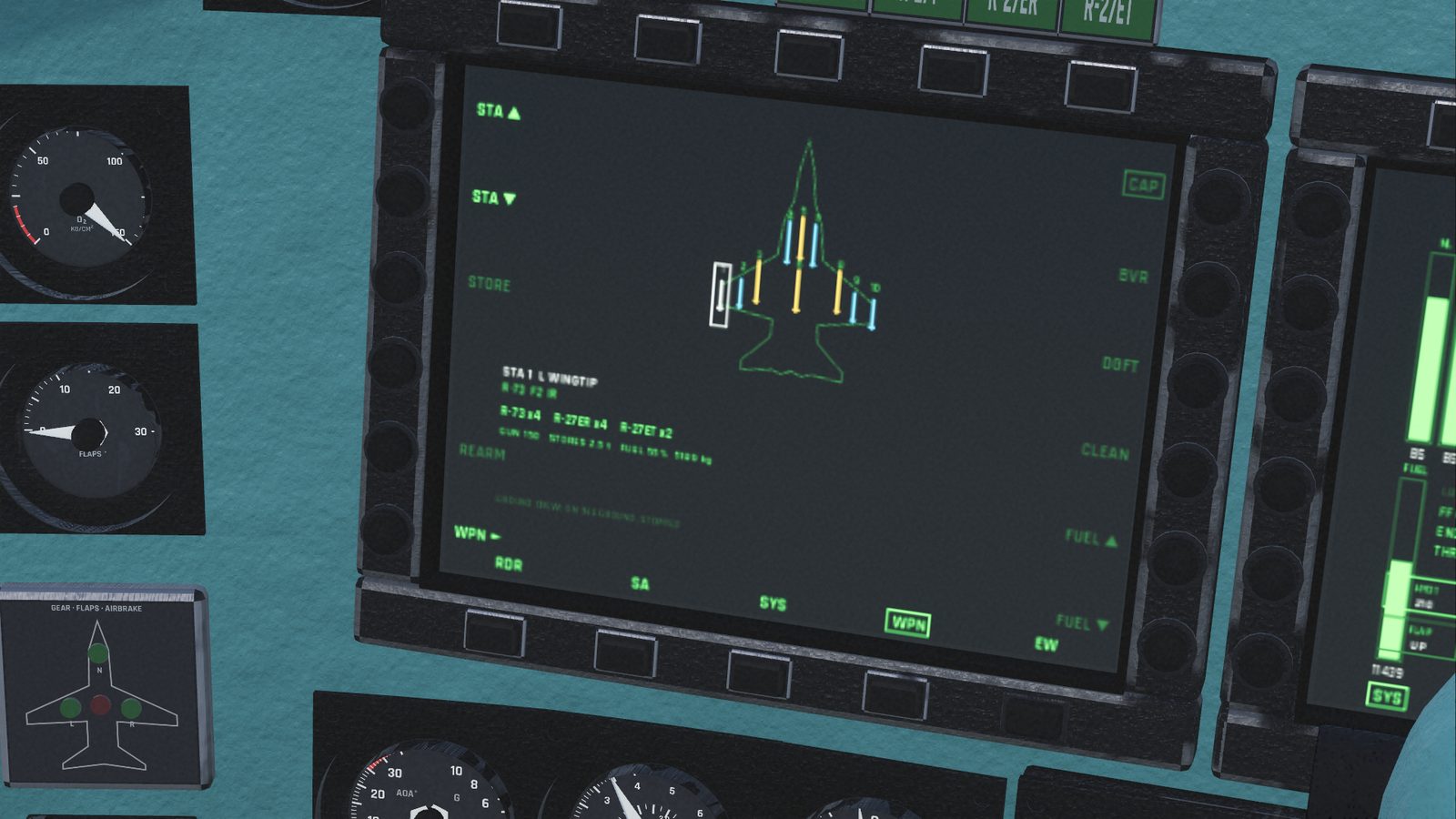
A top view of the jet with its 10 stations, each showing its missile or an empty square, and under it what you carry and how much fuel and how many gun rounds you have.
On the ground, stopped, the ground crew can change your load-out and fuel:
| Button | Does |
|---|---|
| CAP / BVR / DGFT / CLEAN | Load a preset: CAP is 4 R-73, 4 R-27ER, 2 R-27ET (the default); BVR is 6 R-27ER, 2 R-73; DGFT is 4 R-73, 2 R-27ET; CLEAN is gun only |
| STA ▲ / ▼ and STORE | Pick a station (or click it) and change what's on it |
| REARM | Put back the load-out you chose, and refill the gun |
| FUEL ▲ / ▼ | Fuel in quarters of a full load, from 25% to 100% |
| WPN ► | Select the next weapon, the same as Z |
The crew's buttons are dimmed unless you're on the ground and stopped. Their progress shows at the bottom (LOADING, REFUELLING). If the jet moves, they stop. Choosing and using the weapons is covered in a later section of the docs.
EW: threats
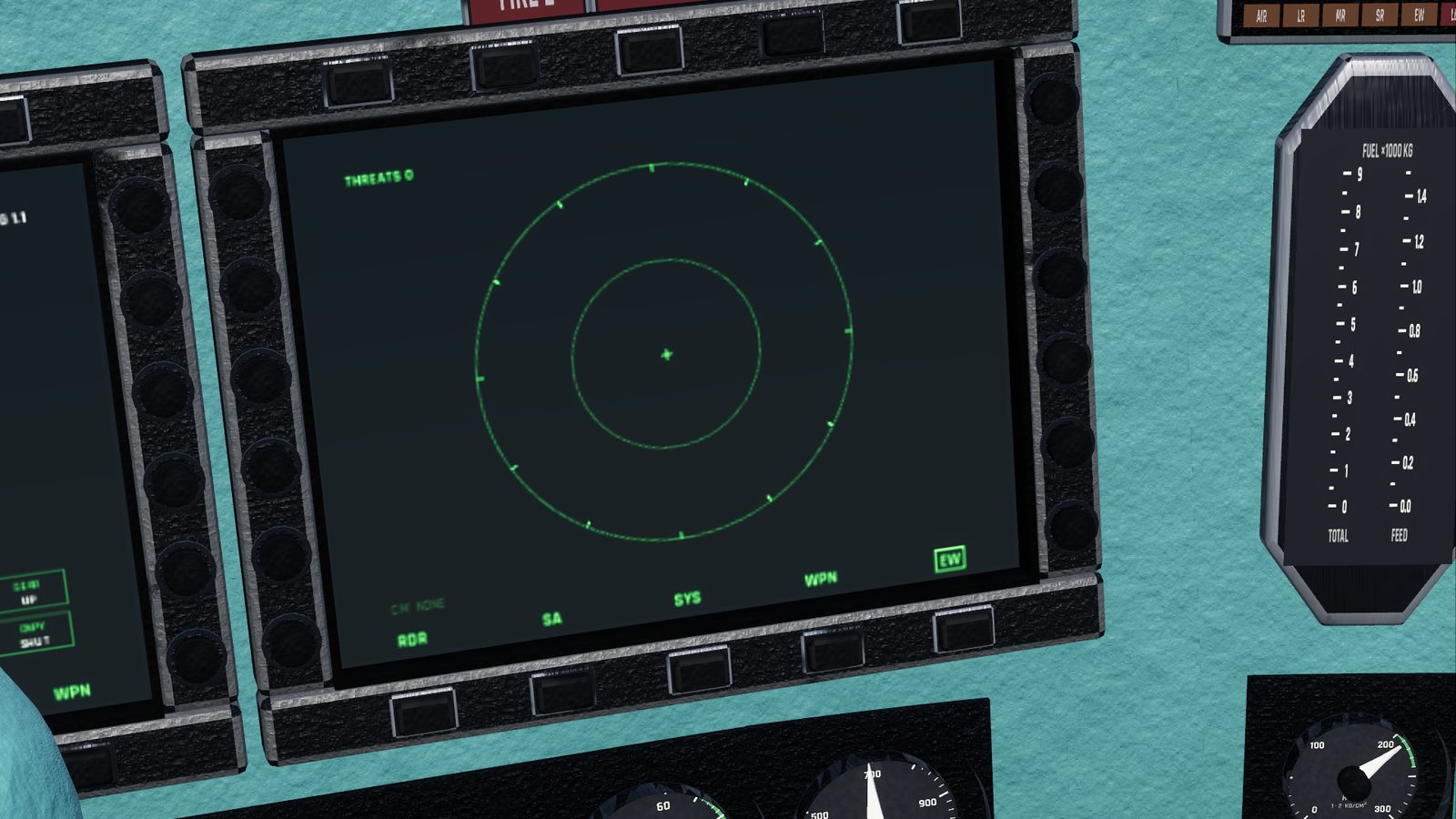
A round display with you at the centre, your nose at the top. Every radar the SPO-15 hears is an F at its bearing, closer to the centre the closer it is; the outer ring is 180 km. A radar locked on you is red, ringed and flashing. Top left: the number of threats, with LOCK in red when one is locked on.
CM NONE at the bottom left: the jet has no chaff or flares yet. See Radar warning receiver.
Checked against FlightOut 0.5.2.