
Radar
The Su-27's radar: switching it on, the search and close combat modes, range and scan settings, what it can see, and locking a target.
On this page
The Su-27 carries a pulse-Doppler radar in its nose. It finds other aircraft, shows them on the left display and locks on to one for your missiles and gun.
Switching it on
Press R, flip the RADAR switch on the MODES panel (right console), or press PWR at the top of the radar display. It takes 3 seconds to warm up before it transmits.
- It is off when you first spawn. Once on, it stays on when you respawn.
- It works on the ground too.
- Other pilots' warning receivers hear it while it's on. If you want to stay quiet, switch it off.
The modes
Search: RWS and TWS (BVR)
| Mode | Key | What it does |
|---|---|---|
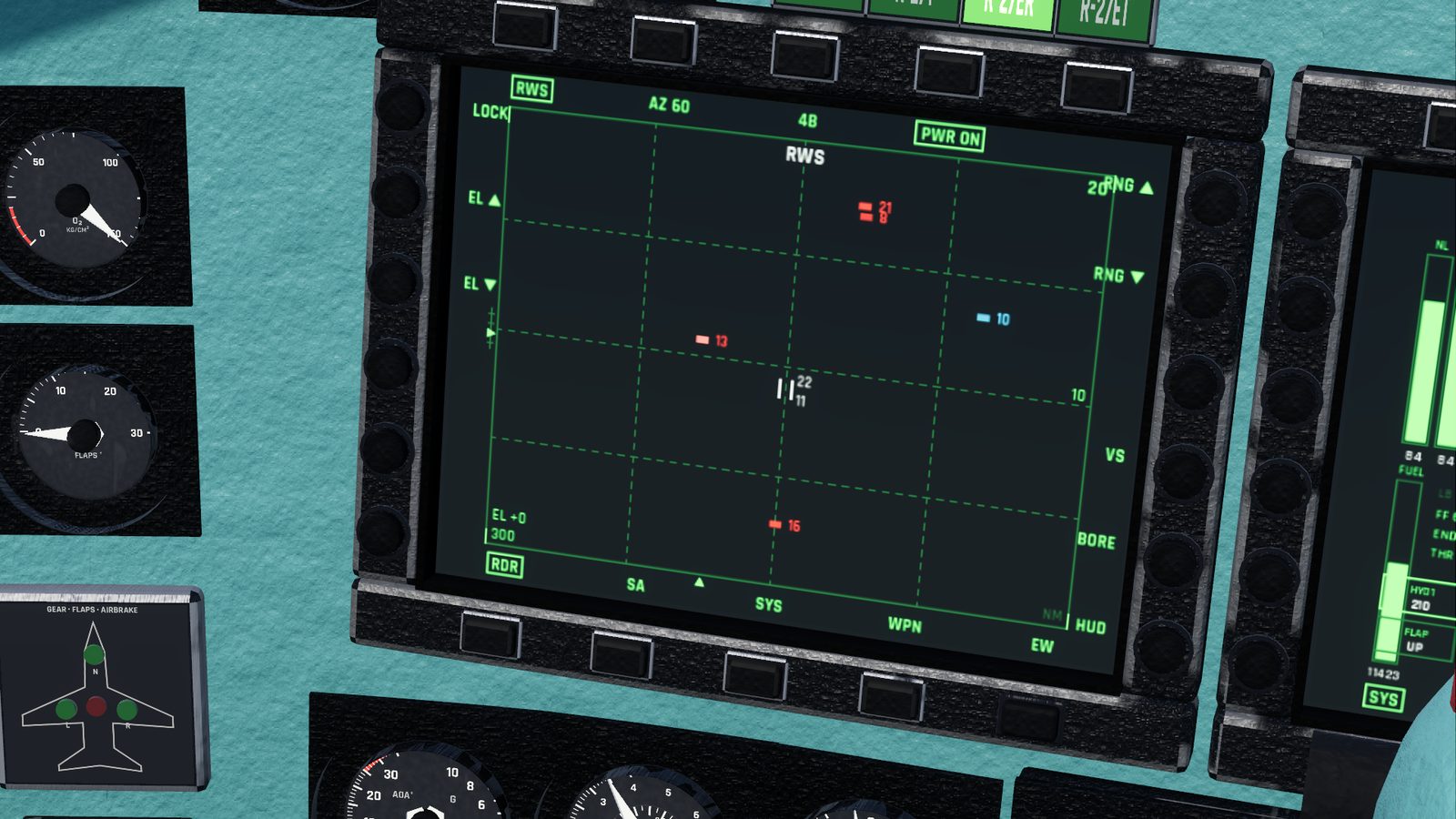
| RWS (range while search) | 9 | Sweeps the sky ahead in the width and bars you choose. Each aircraft it finds shows as a brick where it was last seen |
| TWS (track while scan) | 9 again | The same sweep, at most ±30° wide, but it keeps a track on each aircraft: a triangle with a line showing its course, moved along between sweeps |
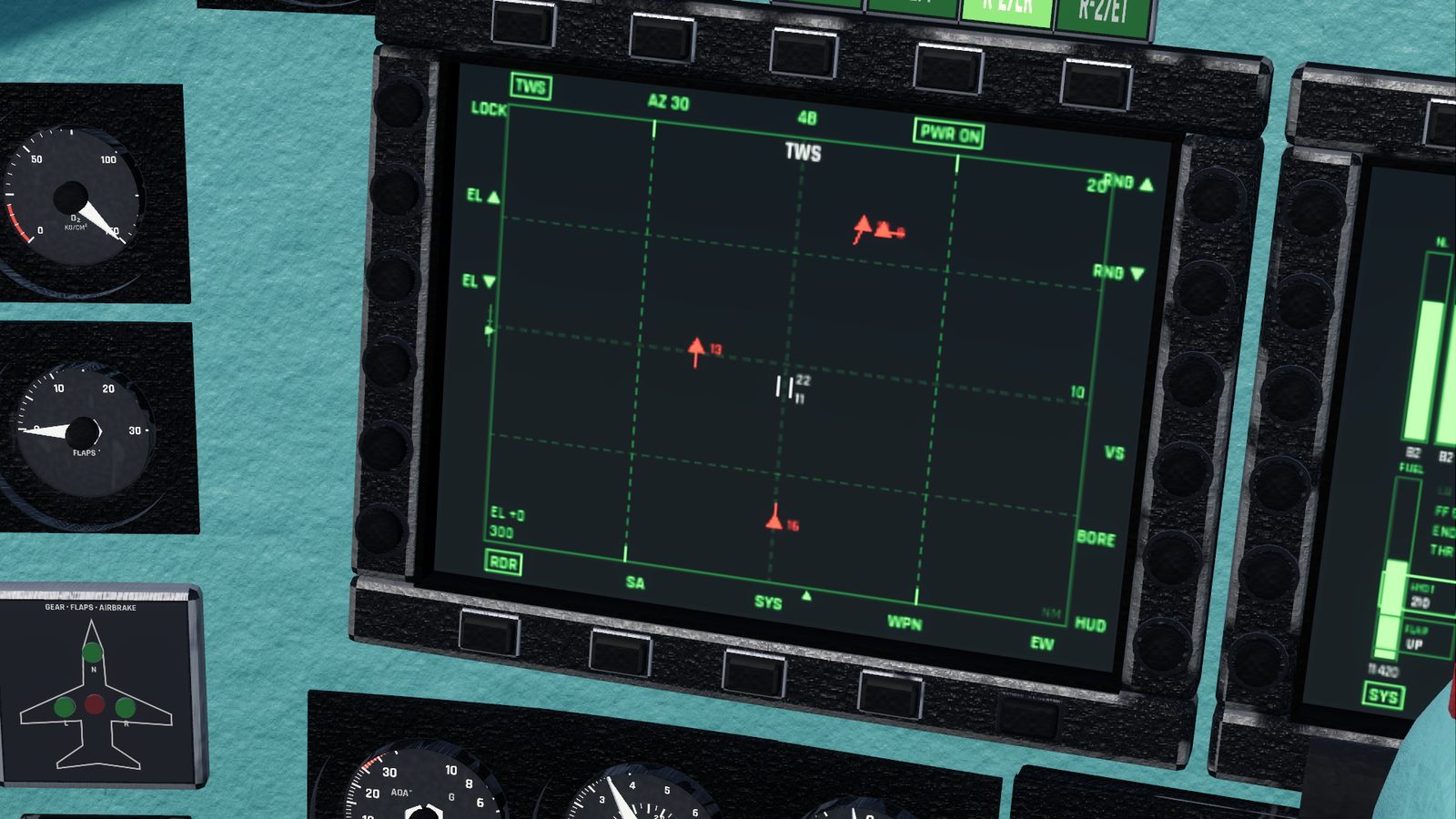
9 switches between the two. From WVR or GUN, it also switches the master mode to BVR.
The search scan is stabilised: it stays level with the horizon and pointed along your heading however you roll or pitch.
Close combat: VS, BORE and HUD (WVR)
For a fight you can see. These modes look only 10 km ahead, fixed to the jet's nose, and lock on automatically to the first aircraft they find that isn't a friendly.
| Mode | Key | Where it looks |
|---|---|---|
| VS (vertical scan) | 6 | A narrow strip from 10° below the nose to 50° above it: pull the target down into it |
| BORE (boresight) | 7 | Straight down the nose, a 2.5° beam: point at the target |
| HUD | 8 | A box 20° by 20° around the HUD |
6, 7 and 8 also switch the master mode to WVR. Pressing 3 for WVR from a search mode starts in VS.
Range, width, bars and elevation
| Setting | Values | How |
|---|---|---|
| Range scale | 10, 20, 40, 80, 160 km, or 5, 10, 20, 40, 80 NM with aviation units | Home longer, End shorter; RNG buttons on the display; RANGE knob |
| Scan width | ±60°, ±30°, ±15° | AZ 60 / 30 / 15 button on the display; AZ knob |
| Bars | 4, 2 or 1 | 4B / 2B / 1B button on the display; BARS knob |
| Elevation | -50° to +50° | Insert up, Delete down; EL buttons on the display; ELEV knob |
- The range scale only changes the display: the radar sees just as far whichever scale you pick.
- A bar is one sweep across. More bars cover more height but take longer: a full ±60°, 4-bar sweep takes about 7 seconds, a ±15°, 1-bar sweep under half a second.
- Four bars cover about ±6° of height around the elevation you set. Point the elevation at where you expect the enemy to be: up for a target above you, down for one below.
- Next to the target designator, two small numbers show the highest and lowest altitudes the scan covers at that range (thousands of feet, or hundreds of metres).
What it can see
| Target | Detection range (about) |
|---|---|
| A Su-27 coming towards you | 120 km |
| From the side | 100 km |
| Going away from you | 80 km |
- Looking down at a target, or at one low over the ground (under 1,500 m above it), cuts the range by a fifth, because the ground clutters the picture.
- The notch: a target flying across your line of sight, closing or opening on you at less than about 110 km/h (30 m/s), disappears, but only with the ground behind him: when he is more than 150 m below you, or less than 1,500 m above the ground. This is how pilots hide from radar. A target level with you or above you, high up, can't hide this way.
- Terrain blocks the radar. A jet behind a mountain is invisible.
- Near its maximum range the radar sees a target only now and then; within about 70% of it, every sweep.
Locking a target
A lock points the radar at one aircraft and follows it continuously (STT, single target track). Radar missiles need it. It also points the heat-seeking missiles' seekers at the target and gives the gun its lead computing sight.
In RWS or TWS:
- Move the target designator, the two short vertical bars on the radar display, onto a contact:
- ; farther, . nearer, , left, / right;
- or click the spot on the display.
- Press Enter, or LOCK on the display's left edge. Clicking a contact directly locks it too.
- ACQ flashes for about a third of a second, then the lock holds. Enter takes the contact nearest the designator. If the radar can't see it within about a second, the lock quietly fails: try again.
In VS, BORE or HUD: point the jet at the target. The radar locks by itself.
To unlock: press \, or UNLK on the display, or click the locked contact.
While locked
- The radar stops searching: no new contacts appear, and the ones already on the display stay there without being updated.
- The display shows the target's range (R), closure speed (VC), aspect (0 when he points at you, 180 when you're behind him), altitude and speed.
- The HUD draws a box on the target, or a line pointing to it when it's outside the HUD.
When the lock breaks
LOCK LOST flashes on the HUD if:
- the target goes more than 60° off your nose;
- the radar loses sight of it for 2 seconds (the notch, terrain, or too far away);
- the target is destroyed.
Changing the radar mode also drops the lock, and so does a master mode change that changes the radar (BVR from a close combat mode, WVR from a search mode); LOCK LOST flashes then too. GUN, NAV and GND keep the lock. Switching the radar off, or unlocking it yourself, drops it without a message.
Colours
| Colour | Means |
|---|---|
| Red | Hostile |
| Cyan | Friendly |
| Yellow | Unknown. Online, every other player shows as unknown |
Checked against FlightOut 0.5.2.