
Audio settings
Volume for the engines, effects, warnings, the warning receiver and the menus.
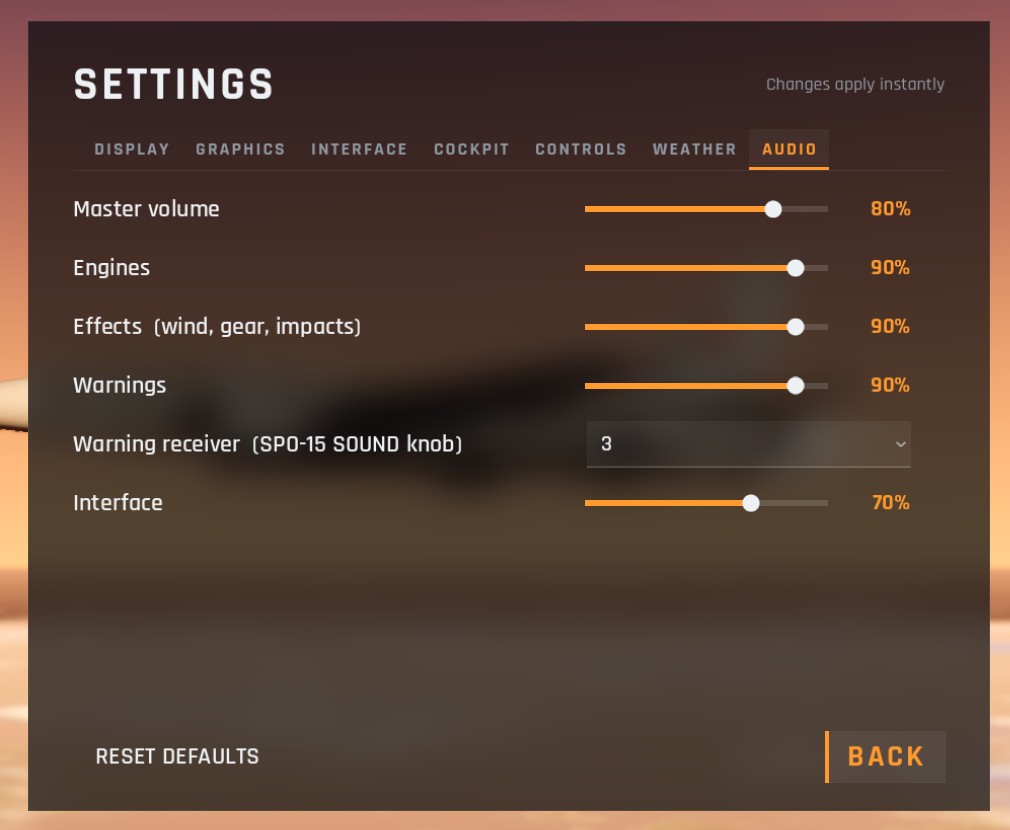
| Option | Range | Default | What it covers |
|---|---|---|---|
| Master volume | 0 to 100% | 80% | Everything |
| Engines | 0 to 100% | 90% | The engines and afterburners |
| Effects | 0 to 100% | 90% | Wind, rain, gear, impacts, explosions, the gun and missiles, and the pilot's breathing |
| Warnings | 0 to 100% | 90% | The cockpit's warning sounds and tones |
| Warning receiver | Off, 1, 2, 3, 4 | 3 | The SPO-15 warning receiver's tones: a radar searching for you, locked on you, or guiding a missile at you. This is the same as the SOUND knob on its panel in the cockpit |
| Interface | 0 to 100% | 70% | Menu clicks |
Inside the closed cockpit the engines and the outside world are muffled, as through a real canopy. Warnings, the warning receiver and the pilot's breathing are not, because they are in your headset.
Checked against FlightOut 0.5.1.