
Settings
Every option in the Settings screen, tab by tab, with what it does and its default.
Open SETTINGS from the main menu, or from the pause menu (Esc) in flight. Changes apply instantly and are saved at once. There is no OK button.
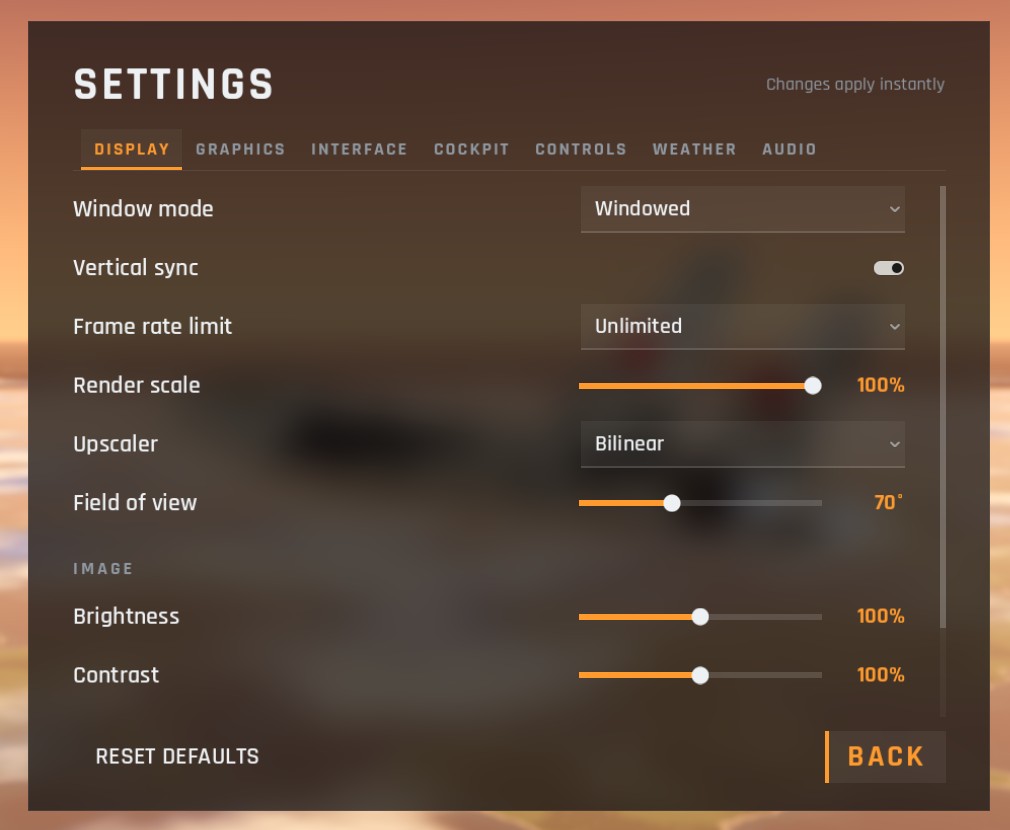
| Tab | What is in it |
|---|---|
| DISPLAY | Window mode, frame rate, render scale, field of view, brightness and colour. See Display |
| GRAPHICS | The quality presets and every graphics option. See Graphics |
| INTERFACE | Units, the FPS counter and offline training traffic. See Interface |
| COCKPIT | Head movement, airframe vibration, G effects and head tracking. See Cockpit |
| CONTROLS | Keys and mouse. See Controls |
| WEATHER | Time of day, clouds, wind and turbulence. See Weather and time |
| AUDIO | Volumes and the warning receiver's sound. See Audio |
RESET DEFAULTS at the bottom puts back every setting and every key at once. BACK closes the screen.
Online, the WEATHER tab is locked: the server sets the time and weather for everyone.
Checked against FlightOut 0.5.1.