
The menus
The main menu, the loading screen and the pause menu, and what every button does.
On this page
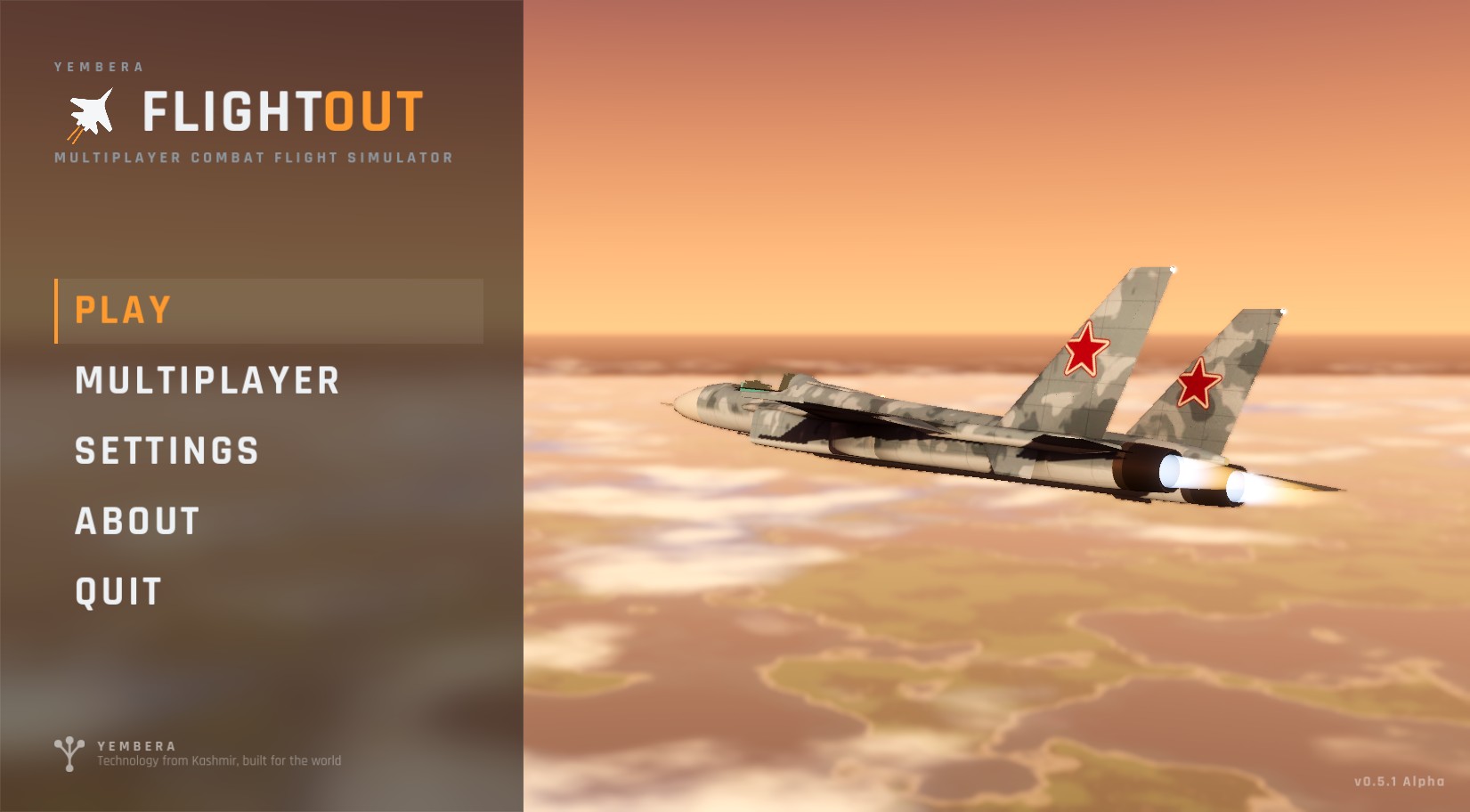
Main menu
| Button | What it does |
|---|---|
| PLAY | Starts a flight on your own (offline). See Your first flight |
| MULTIPLAYER | Fly online: choose a callsign, join an official server, join any server by its address, or host your own |
| SETTINGS | Display, graphics, interface, cockpit, controls, weather and audio. See Settings |
| ABOUT | The version you are running and who makes FlightOut |
| QUIT | Closes the game (not in the browser version) |
Your version is shown in the bottom-right corner. Esc closes any screen opened from the menu.
Multiplayer, in short
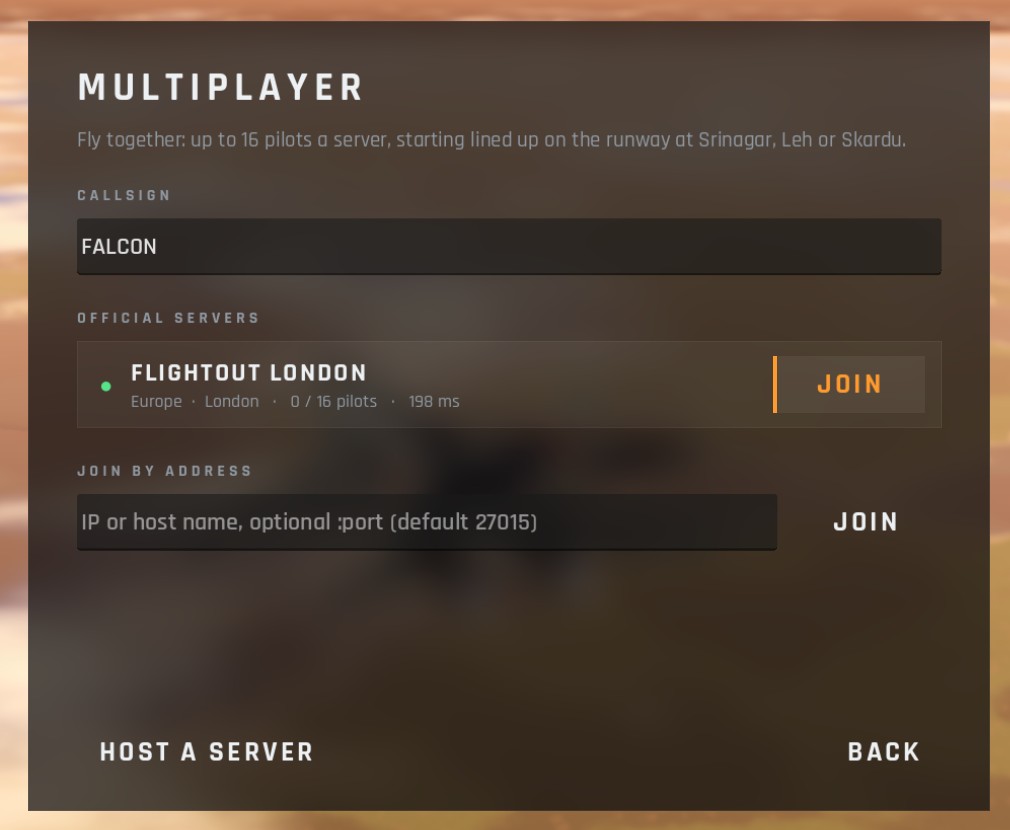
- Callsign: your name in the sky, seen by other pilots.
- Official servers: listed with a coloured dot (green open, amber full, red offline or a different version). Press JOIN.
- Join by address: type a server's address and press JOIN.
- Host a server: runs a server on your computer and puts you in it. Other pilots join you at your address on UDP port 27015.
Up to 16 pilots fly on one server. Online, the server decides the time and weather for everyone. A full multiplayer guide is coming in a later stage of these docs.
Loading
After PLAY the loading screen builds the flight: the aircraft and cockpit, the map, the airfields and their lights, the forests, and finally the terrain around your airfield. A tip at the bottom reminds you of two useful keys: P for a practice approach and Esc for the menu.
Pause menu
Press Esc in flight.
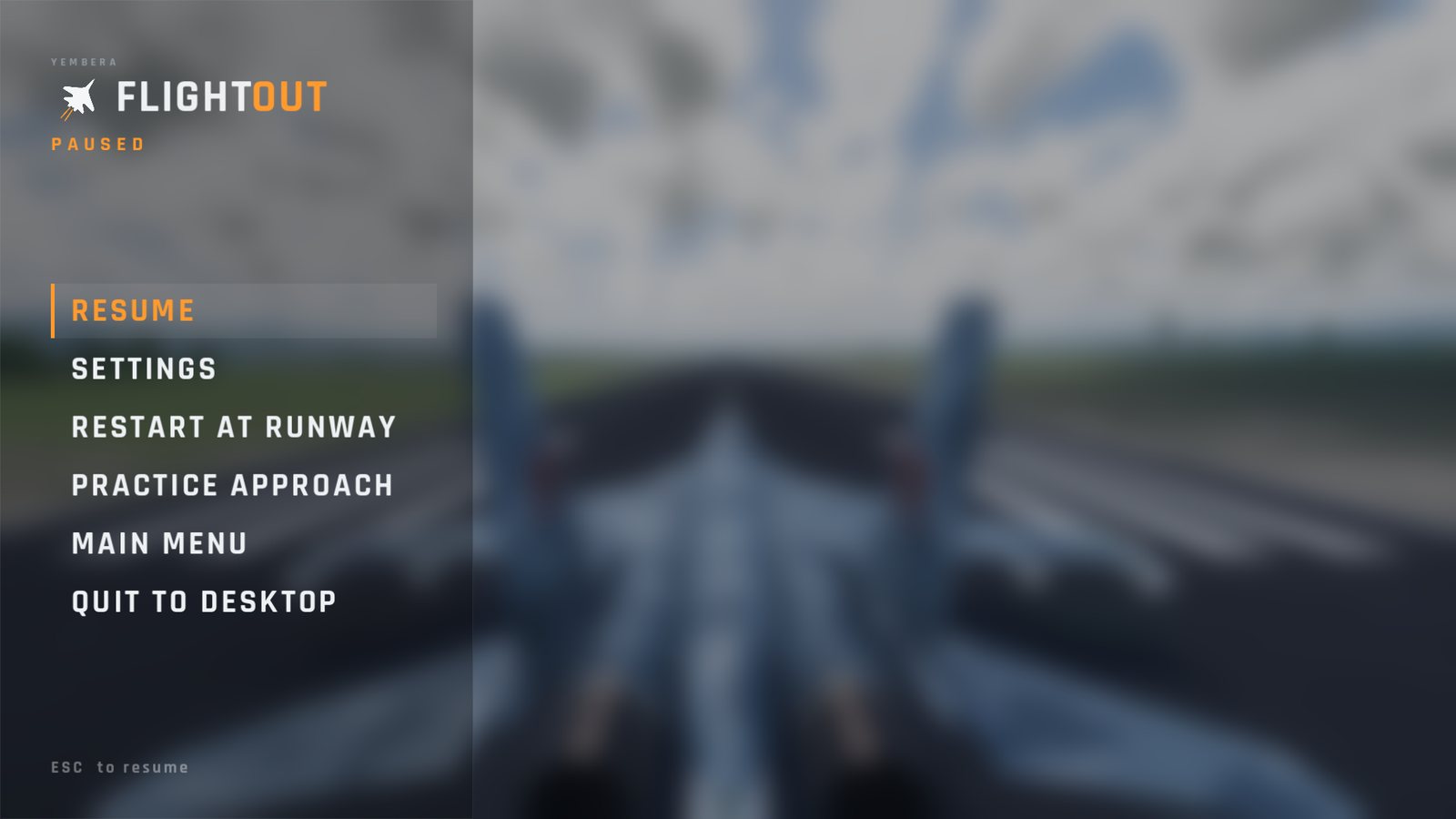
| Offline ("PAUSED") | Online |
|---|---|
| The flight freezes while the menu is open | The world carries on: your jet keeps flying hands-off, and an engaged autopilot keeps flying it |
| RESUME | RESUME |
| SETTINGS | SETTINGS |
| RESTART AT RUNWAY: back to the start, repaired and refuelled | RESPAWN IN SHELTER: back to your start position |
| PRACTICE APPROACH: puts you on final approach to the nearest runway | |
| MAIN MENU | LEAVE SERVER |
| QUIT TO DESKTOP (desktop only) | QUIT TO DESKTOP (desktop only) |
Press Esc again to resume.
Checked against FlightOut 0.5.1.