
Version history
Every FlightOut release so far, newest first. Each one keeps its files, so an older version is always there if you need it.
FlightOut is in alpha: every release so far is an alpha build.
Stability update
What changed in 0.4.1
FlightOut 0.4.1 Alpha is a stability update for 0.4.0.
Fixed
- Changing graphics settings no longer freezes or crashes the game. Changing render scale, MSAA, window mode or the quality preset could hang the game for several seconds and then crash it. Settings now apply in a fraction of a second, in flight, while paused and from the main menu.
- The main menu no longer lags after a flight. Leaving a flight left the menu drawing with cloud data that had already been released, which caused errors every frame, stutter and occasional crashes.
- No more crash when quitting. The game now closes cleanly.
- Less glare on the canopy. Seen from behind with the sun ahead, the canopy glass flared into a large white (sometimes purple) ball. The sun now shows as a soft sheen across the glass.
Compatibility
- Multiplayer protocol unchanged: 0.4.0 and 0.4.1 players can fly together on play.flightout.app.
- Your settings and key bindings carry over.
Downloads
- Windows: FlightOut-0.4.1-Windows-Setup.exe
- macOS: FlightOut-0.4.1-macOS.zip
- Linux: FlightOut-0.4.1-Linux-x86_64.tar.gz or FlightOut-0.4.1-Linux-arm64.tar.gz
- Checksums: SHA256SUMS.txt
Volumetric clouds and a new map
What changed in 0.4.0
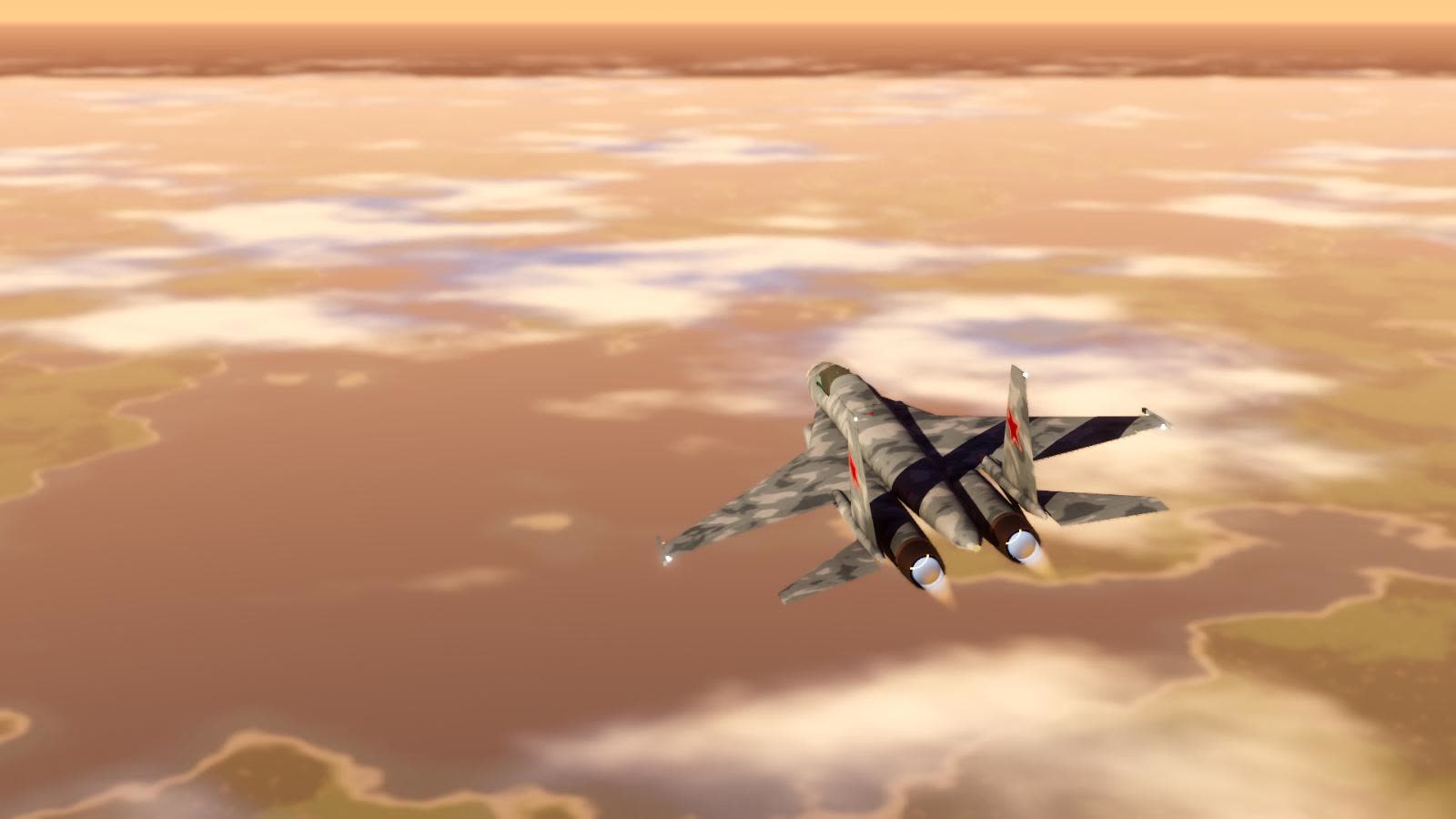
FlightOut 0.4.0 Alpha: volumetric clouds over Kashmir, a new map screen, rear-view mirrors and a pilot who feels the G.
Downloads
System File Windows 10 / 11 (64-bit) FlightOut-0.4.0-Windows-Setup.exemacOS 11+ Apple Silicon (M1 to M4), macOS 10.15+ Intel FlightOut-0.4.0-macOS.zipLinux x86_64 FlightOut-0.4.0-Linux-x86_64.tar.gzLinux arm64 FlightOut-0.4.0-Linux-arm64.tar.gzWhat's new
- Volumetric clouds you can fly through: scattered cumulus, broken, overcast, fog and rain decks at varied heights, sunlit and self-shadowed, with their shadows on the ground, trees and jets. Clouds are fixed in the world and drift with the wind, and reach the horizon when you are high above them. Contrails are lit by the sun.
- Map screen (M): opens close around your jet and gets sharp as you zoom in. Kashmir's border is drawn in red. Right drag measures bearing, distance and time between any two points, and holds on to jets, airfields and marks. Hover an airfield or a jet for its details.
- Cockpit: rear-view mirrors on the canopy arch (fold with I), a HUD drawn from the same attitude as the combiner, a flight path marker you can cage (X), and a flight director for the ILS.
- Pilot body: the head moves under G, and you get grey-out, tunnel vision, blackout, G-LOC and red-out. Airframe vibration and breathing. OpenTrack head tracking (Settings, Cockpit).
- Night: afterburner light on the tail and the ground, a cockpit torch, and airfield lights that fade with distance and haze.
- Performance: forest planted in the background, lighter terrain, cockpit screens paced, and many smaller savings.
- Multiplayer: network protocol 6, so a full server's update fits in one packet.
Please update
0.4.0 uses a new network protocol, so it cannot play with 0.3.x. The official server is on 0.4.0, so everyone needs this version to join.
Lag compensation
What changed in 0.3.1
FlightOut 0.3.1 Alpha: other players' jets shown where they really are, even on a slow connection.
Downloads
System File Windows 10 / 11 (64-bit) FlightOut-0.3.1-Windows-Setup.exemacOS 11+ Apple Silicon (M1 to M4), macOS 10.15+ Intel FlightOut-0.3.1-macOS.dmg(attached automatically a few minutes after release;.zipalso available)Linux x86_64 FlightOut-0.3.1-Linux-x86_64.tar.gzLinux arm64 FlightOut-0.3.1-Linux-arm64.tar.gzWhat's new
- Lag compensation: other jets are now drawn where their pilot actually is right now, not where they were one ping ago. At around 200 ms ping they used to appear about 125 ms behind (roughly 25 to 30 m at fighter speeds); now it is within about 10 ms, so formation flying and merges line up.
- Still smooth: prediction and corrections are blended in, never snapped, as in a military flight sim.
Please update
0.3.1 uses a new network protocol, so it cannot play with 0.3.0. The official server is already on 0.3.1, so everyone needs this version to join.
What changed in 0.3.0
FlightOut 0.3.0 Alpha: Kashmir, and multiplayer that flies like a flight sim.
Downloads
System File Windows 10 / 11 (64-bit) FlightOut-0.3.0-Windows-Setup.exemacOS 11+ Apple Silicon (M1 to M4), macOS 10.15+ Intel FlightOut-0.3.0-macOS.dmg(attached automatically a few minutes after release;.zipalso available)Linux x86_64 FlightOut-0.3.0-Linux-x86_64.tar.gzLinux arm64 FlightOut-0.3.0-Linux-arm64.tar.gzThe download is large this time (about 1.3 GB) because it carries the whole Kashmir map. Smaller downloads come later.
What's new
- Kashmir: the whole region at real scale (Kashmir valley, Ladakh, Gilgit-Baltistan, Aksai Chin) from 30 m satellite elevation and land cover, replacing the island. Earth curvature, terrain shadows and haze, real airfields with lit runways (edge, threshold, approach lights and PAPI), and a map screen on M.
- Multiplayer, DCS style: other jets are predicted to the present and blended smoothly onto every update, never snapped, so close formation looks right. Pilots start lined up on the runway at Srinagar (8), Leh (4) and Skardu (4).
- Vapour and smoke: wingtip vortices and wing-root vapour in hard pulls, contrails at altitude, missile smoke trails.
- F9 shows or hides other players' names (off by default). F5 is a temporary weapons demo (a missile every 12 s, flares every 3 s); for now only you see your own.
- The on-screen flight data panel is gone for players; flying is done from the cockpit instruments. The FPS counter is still in Settings → Interface.
Installing
- Windows: run the installer. Windows may say "Windows protected your PC" (the installer isn't signed yet): click More info → Run anyway.
- macOS: open the
.dmg, drag FlightOut into Applications. First launch only: open System Settings → Privacy & Security and click Open Anyway. - Linux: extract, run
FlightOut.x86_64(orFlightOut.arm64);./install.shadds it to your applications menu. Vulkan drivers recommended.
Playing together
Multiplayer → enter a callsign → JOIN on FlightOut London. Everyone needs 0.3.0: older versions are told to update.
Known limitations
- Jets don't collide with each other yet. Missiles and flares are a local demo, not networked yet.
- The practice approach (P) goes to the nearest runway; choosing the airfield comes later.
Checksums:
SHA256SUMS.txt.What changed in 0.2.0
FlightOut 0.2.0 Alpha: multiplayer, now on Windows, macOS and Linux.
Downloads
System File Windows 10 / 11 (64-bit) FlightOut-0.2.0-Windows-Setup.exemacOS 11+ Apple Silicon (M1 to M4), macOS 10.15+ Intel FlightOut-0.2.0-macOS.dmg(attached automatically a few minutes after release;.zipalso available)Linux x86_64 FlightOut-0.2.0-Linux-x86_64.tar.gzLinux arm64 FlightOut-0.2.0-Linux-arm64.tar.gzWhat's new
- Multiplayer (alpha): fly together with up to 16 pilots a server. Server-authoritative with client-side prediction, so your jet responds instantly; other jets glide smoothly even on a poor connection.
- Official server, FlightOut London, with live status, pilot count and ping on the Multiplayer screen. Host your own with one click.
- Airbase: 16 hardened shelters with sliding doors and lit bays, dispersal lanes, taxi lights, floodlights, a turning radar, windsocks and ILS antennas.
- Camera glides along the ground and stays out of buildings instead of clipping through them.
- Clouds and horizon: the cloud deck and sea reach the horizon at high altitude; no more smearing around the jet in fast rolls.
- Network statistics (optional): Settings → HUD.
Installing
- Windows: run the installer.
- macOS: open the
.dmg, drag FlightOut into Applications. First launch only: macOS can't verify the developer yet (the app isn't notarized), so open System Settings → Privacy & Security and click Open Anyway. - Linux: extract, run
FlightOut.x86_64(orFlightOut.arm64);./install.shadds it to your applications menu. Vulkan drivers recommended.
Known limitations
- Jets don't collide with each other or with buildings yet. Weapons come later.
- Clients and server must run the same version.
Checksums:
SHA256SUMS.txt.