
Cockpit tour
A walk round the Su-27 cockpit: what each panel is, which switches work, and how to use them with the mouse.
On this page
Press V until you reach the cockpit view. Everything you see is built in 3D, and the parts that work can be clicked.
Using the cockpit with the mouse
| Do this | How |
|---|---|
| Look around | Hold the right mouse button and drag |
| Zoom in and out | Mouse wheel |
| Look closely at a gauge or panel | Double-click it; double-click again to go back |
| Reset the view | Middle mouse button |
| Flip a switch or press a button | Left click it |
| Turn a knob | Click its right half to turn it up, its left half to turn it down |
A switch always shows what the jet is really doing. If the jet refuses a command, for example gear up while you are on the ground, the switch stays where it is.
Almost everything also has a key. The keyboard reference lists them all.
The front panel
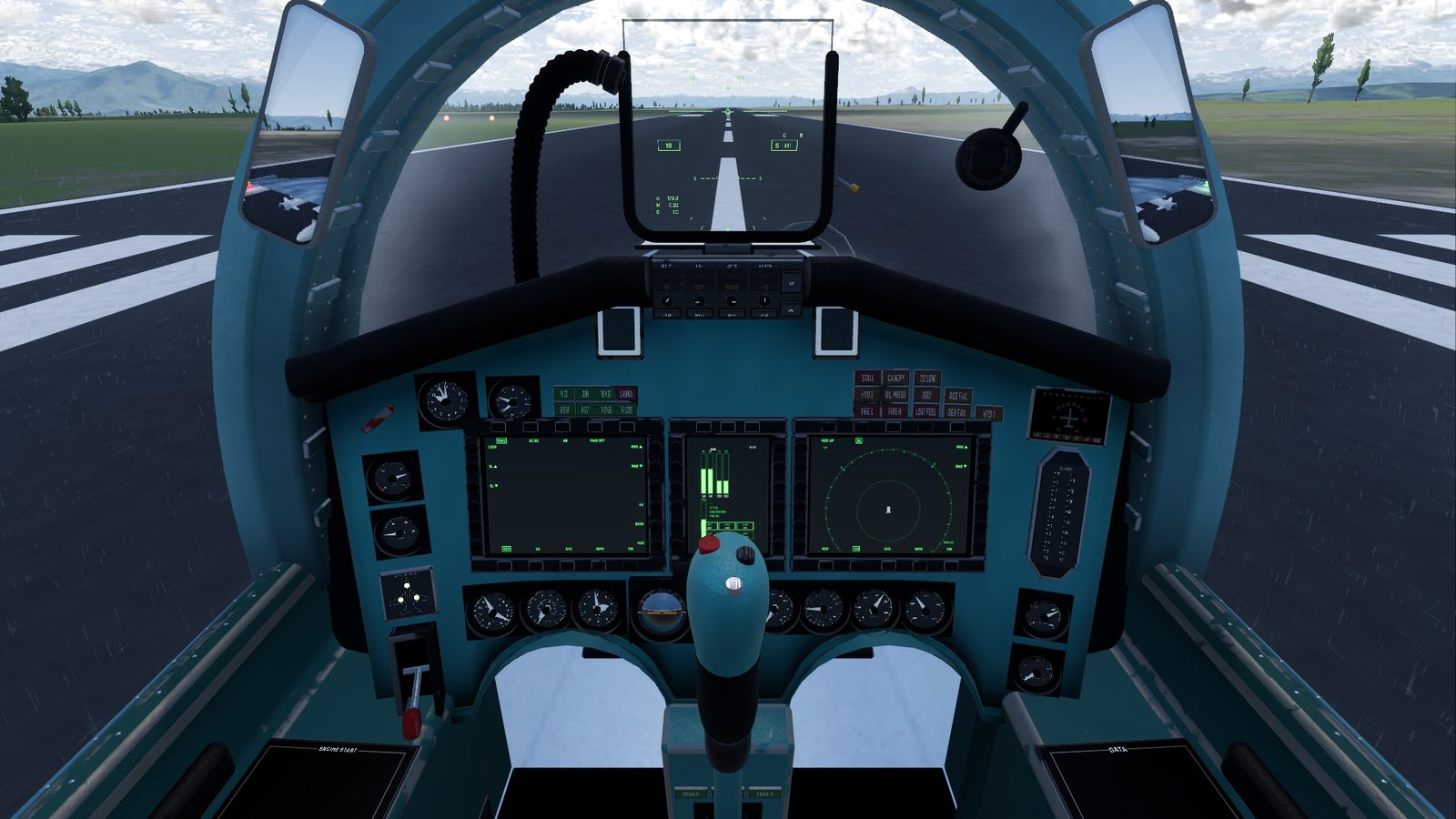
From the top down:
- The HUD (head-up display): the glass in front of you, showing your speed, altitude, heading and, in combat, your target and weapon. It changes with the master mode (1 to 5).
- The autopilot panel, just under the HUD: speed, heading, altitude and vertical speed windows, with the AP and LVL buttons. See The autopilot panel below.
- Three displays across the middle: the left and right ones are large, the centre one narrow. Each has buttons round its edge; the bottom row picks the page.
- The standby gauges: a row of round dials under the displays, for angle of attack and G, airspeed, altitude, attitude, radar height, vertical speed, engine rpm and exhaust temperature. See Instruments.
- Left column: oxygen pressure, the flaps gauge, the gear lights and the gear lever.
- Right column: the fuel tapes, hydraulic pressure and brake pressure.
- Upper left corner: the clock, the cabin pressure gauge and the weapon lamps.
- Upper right corner: the warning lamps and the SPO-15 radar warning display. See Warnings.
- Between your knees: the compass display (HSI) and three trim lamps.
The displays
| Display | Starts on | Pages |
|---|---|---|
| Left | RDR | RDR, SA, SYS, WPN, EW |
| Centre | SYS | SYS, EW, WPN |
| Right | SA | RDR, SA, SYS, WPN, EW |
- RDR: the radar picture.
- SA: a map of everything around you.
- SYS: engines, fuel, fuel flow and how many minutes of fuel you have left, throttle, G, hydraulics, gear and flight controls.
- WPN: your weapons, and the ground crew who load missiles and fuel on the ground.
- EW: radar threats.
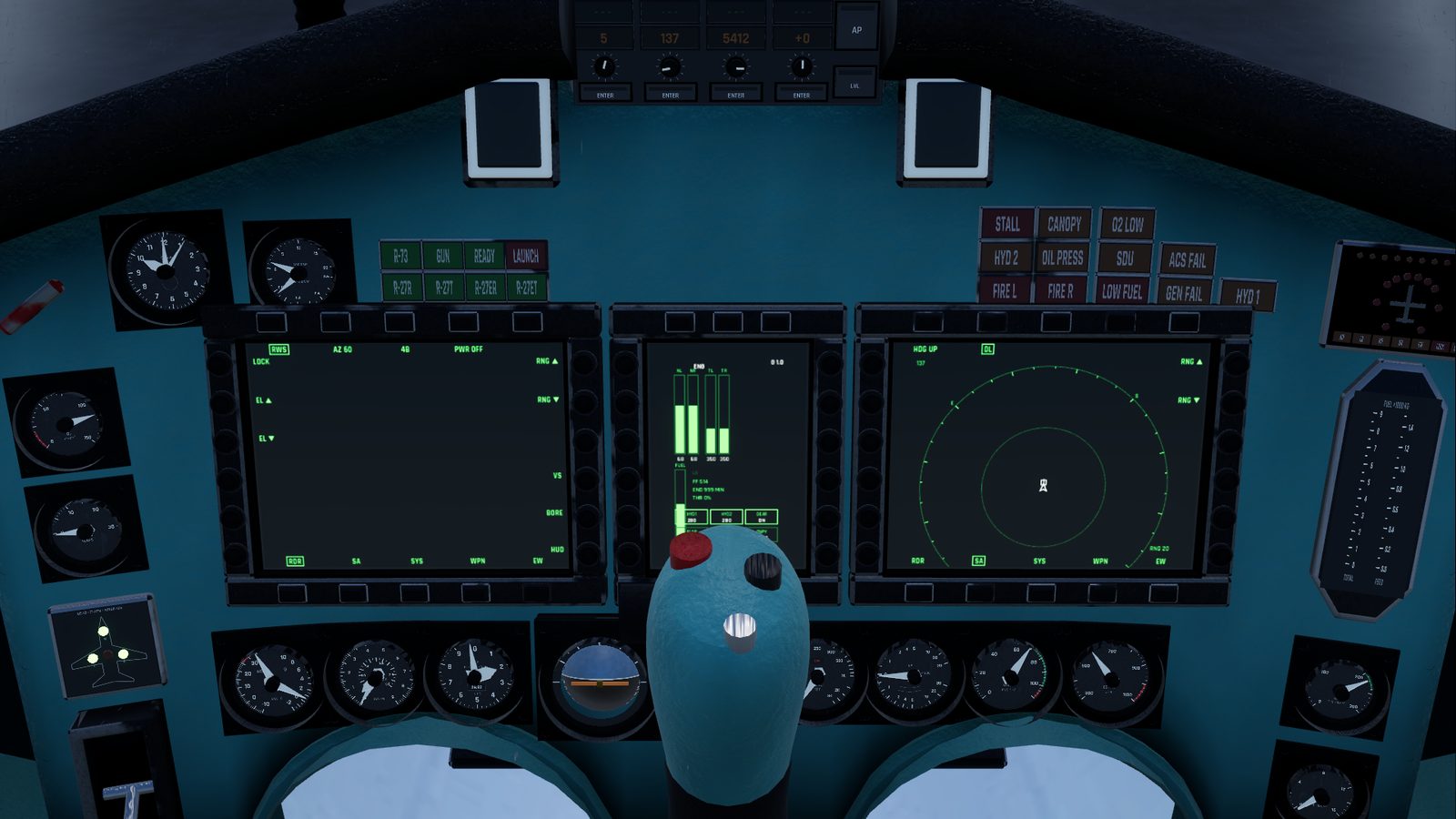
Click a button on a display's edge to use it; its label sits on the screen beside it, and a box marks what is selected.
The autopilot panel
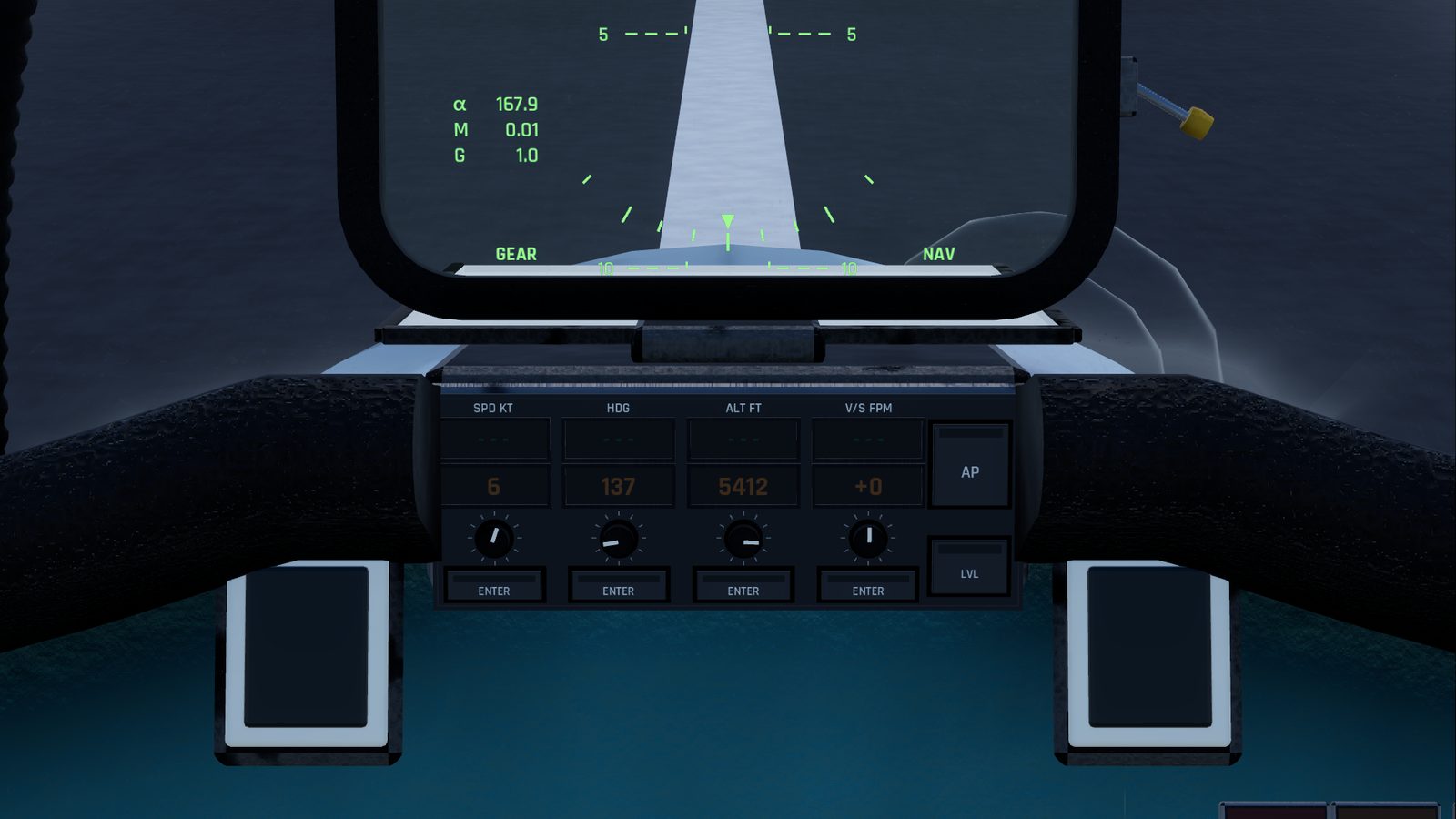
It has four columns: SPD, HDG, ALT and V/S, in the units you chose in Interface settings. Each has:
- a green window: what the autopilot is flying now (dashes when it isn't flying that value);
- an amber window: the value you have selected;
- a knob to change the amber value;
- an ENTER button to fly it. ENTER blinks while the amber value is different from the green one.
On the right are AP (J), which switches the autopilot on and off, and LVL (Y), which rolls the wings level and stops any climb or descent.
You can also click an amber window and type a value, then press Enter. Esc cancels.
The gear lever
The red wheel-shaped handle in the left column, marked UP and DN. Click it, or press G. Above it are three green lamps for the nose and main wheels, and a red one that warns you when the gear is moving or not down when it should be.
The left console
The panel by your left hand, from front to back. Look left and down to see it.
| Panel | What works | Key |
|---|---|---|
| ENGINE START | no switches; its START lamps light when an engine has run down | |
| FUEL | nothing yet | |
| WING FLAP | TAKEOFF switch: flaps down or up. A green FLAPS lamp lights when they are more than half out | F |
| Throttle | The throttle slides along its slot, past the IDLE, MIL and MAX marks. It follows the keys and can't be clicked | Shift / Ctrl |
| RADIO | nothing yet | |
| ACS | no switches; its AUTO lamp lights while the autopilot holds your speed | |
| Flight controls strip | AOA LIM (under a red guard): the limiter. CANOPY: open or closed. LOCK: the canopy lock. AIRBRAKE: out or in | K, C, B |
| LIGHTS | NAV LTS: the outside lights | L |
| ANTI-ICE | nothing yet | |
| ELECTRICAL | nothing yet |
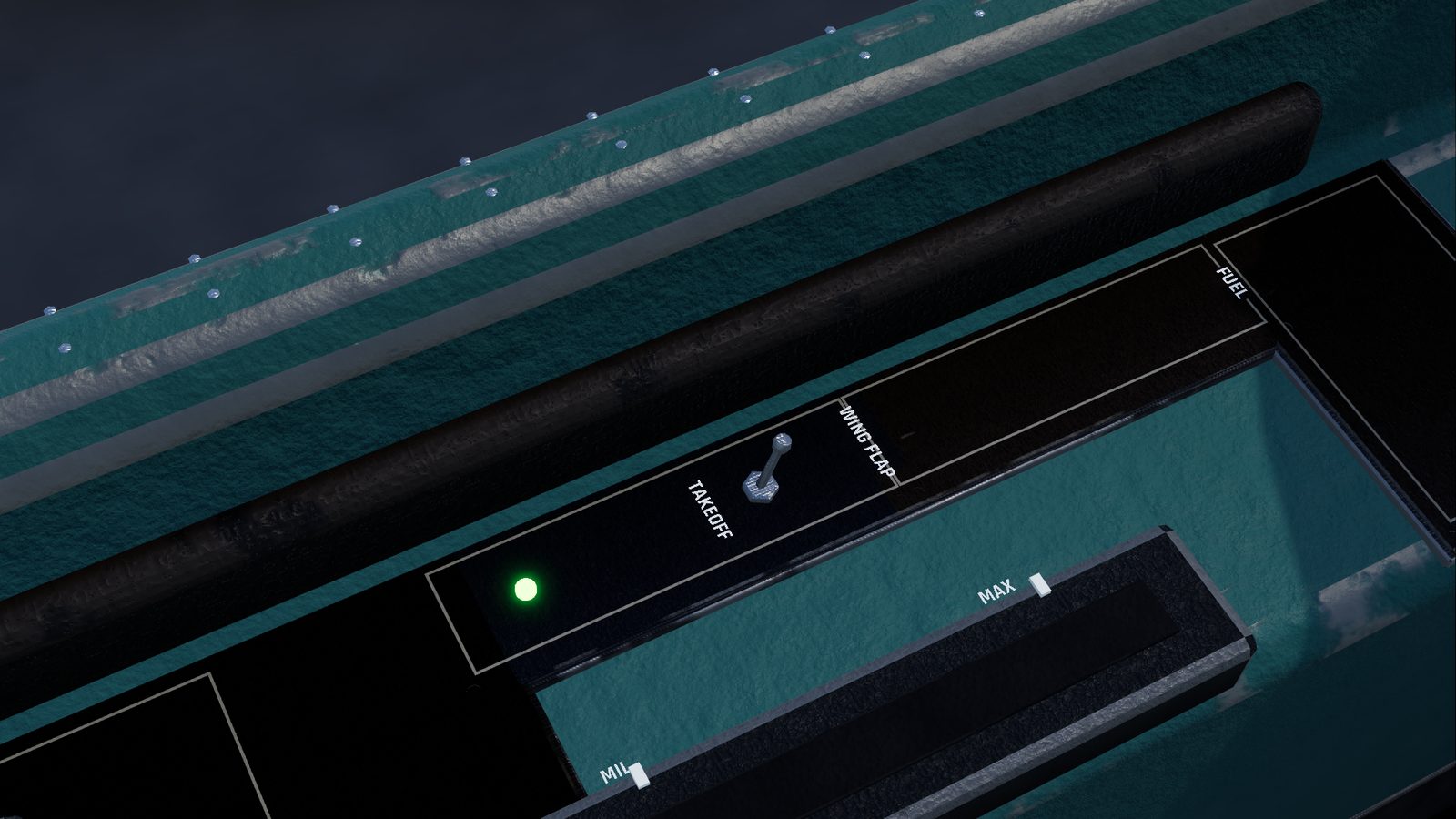
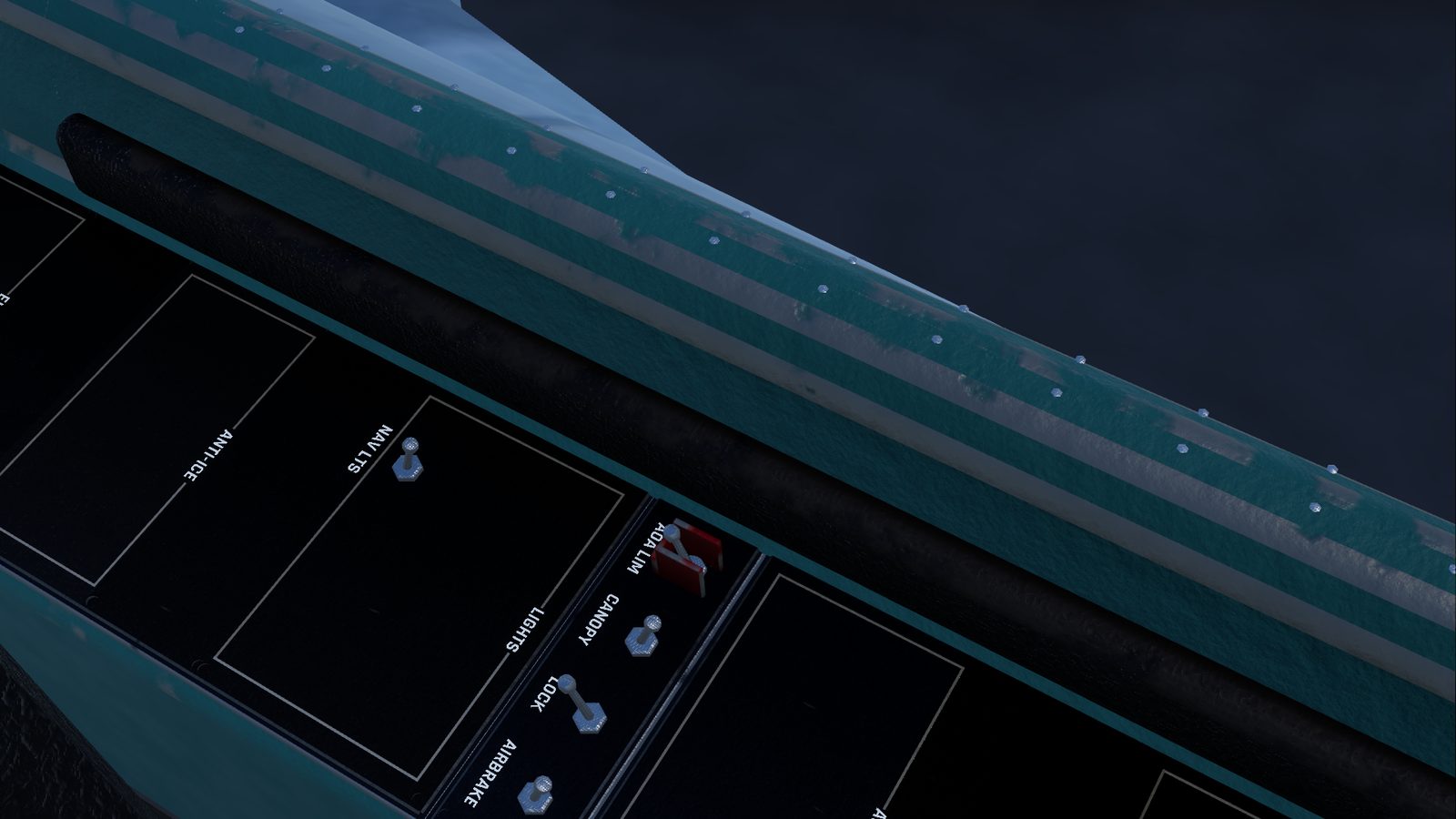
The flight controls strip sits behind your shoulder, so you need to look well round to the left.
The right console
| Panel | What works | Key |
|---|---|---|
| DATA | nothing yet | |
| CM | nothing yet | |
| MODES | Lit buttons NAV, BVR, WVR, GND, GUN: the master mode. The RADAR switch: radar power | 1 to 5, R |
| ELECTRICAL | nothing yet | |
| IFF | nothing yet | |
| RADAR | Lit buttons RWS, TWS, VS, BORE, HUD: the radar mode. Knobs RANGE, AZ, BARS and ELEV | see the keyboard reference |
| SPO-15 | SOUND knob: the radar warning volume, from 0 (off) to 4 | |
| OXYGEN | no switches; an oxygen gauge | |
| ENG MODE, HYDRAULICS, SEAT | nothing yet |
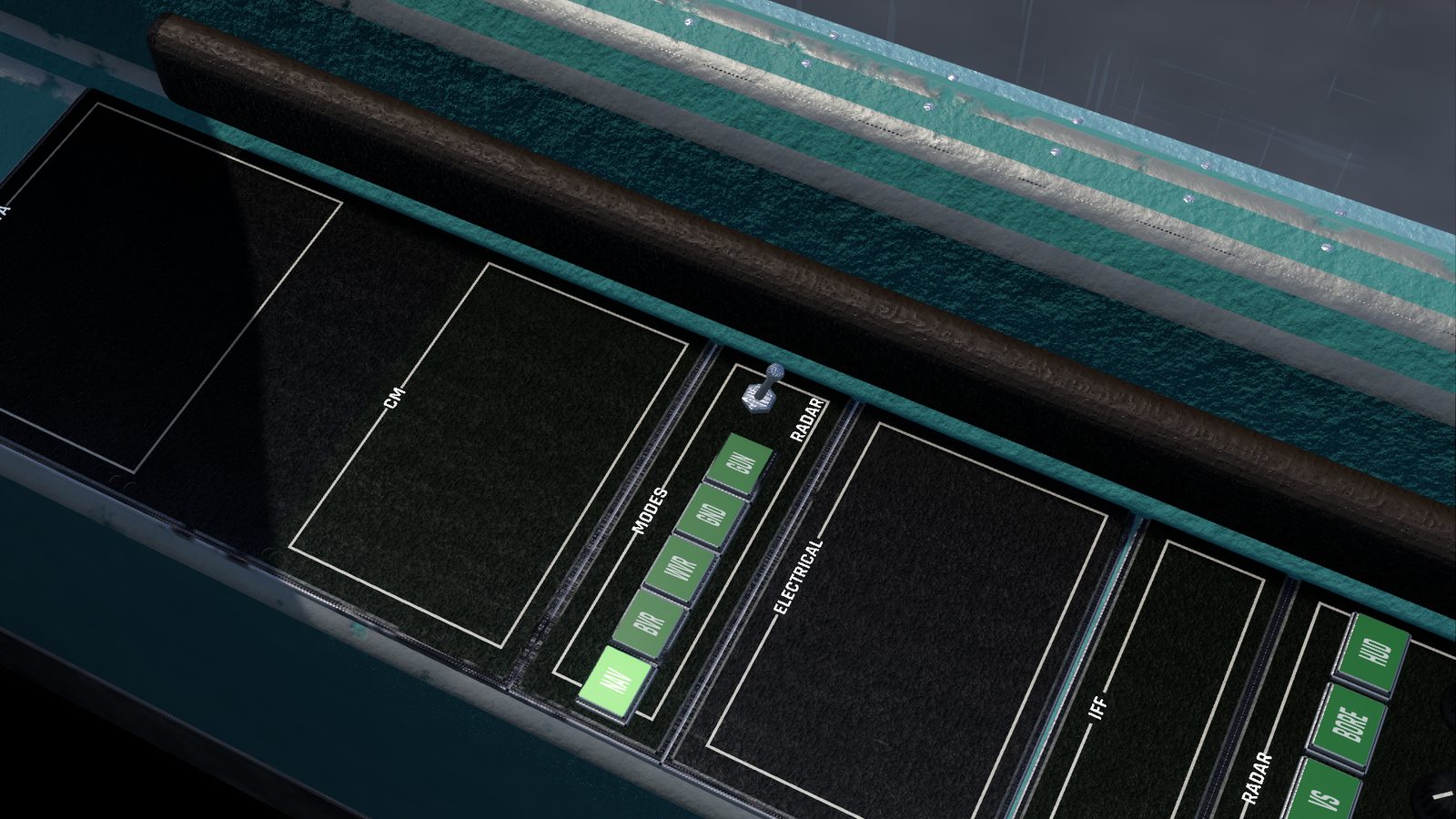
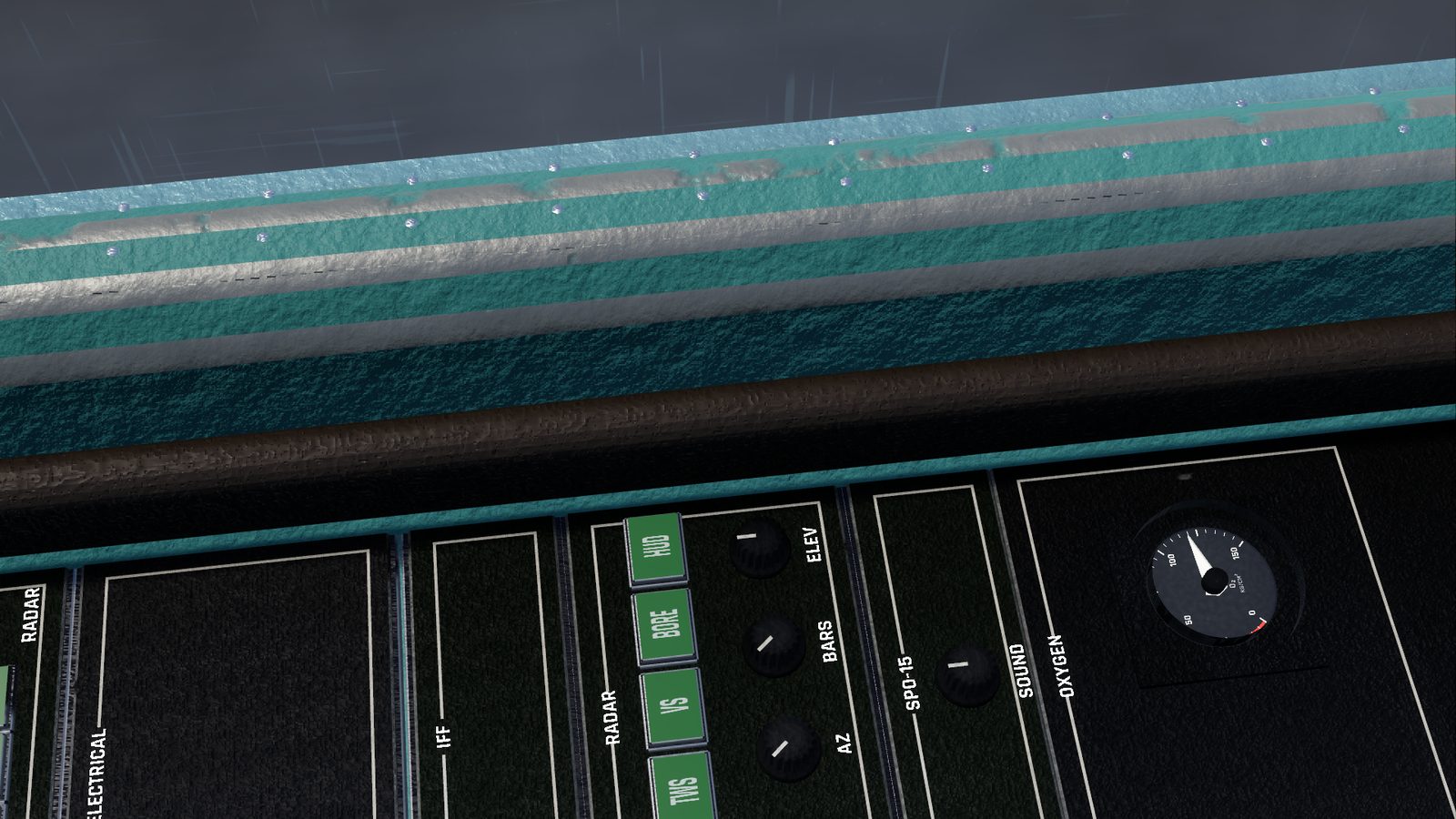
The radar's modes and knobs are explained in Radar. The SPO-15 SOUND knob is the same setting as the radar warning volume in Audio settings.
Around the canopy
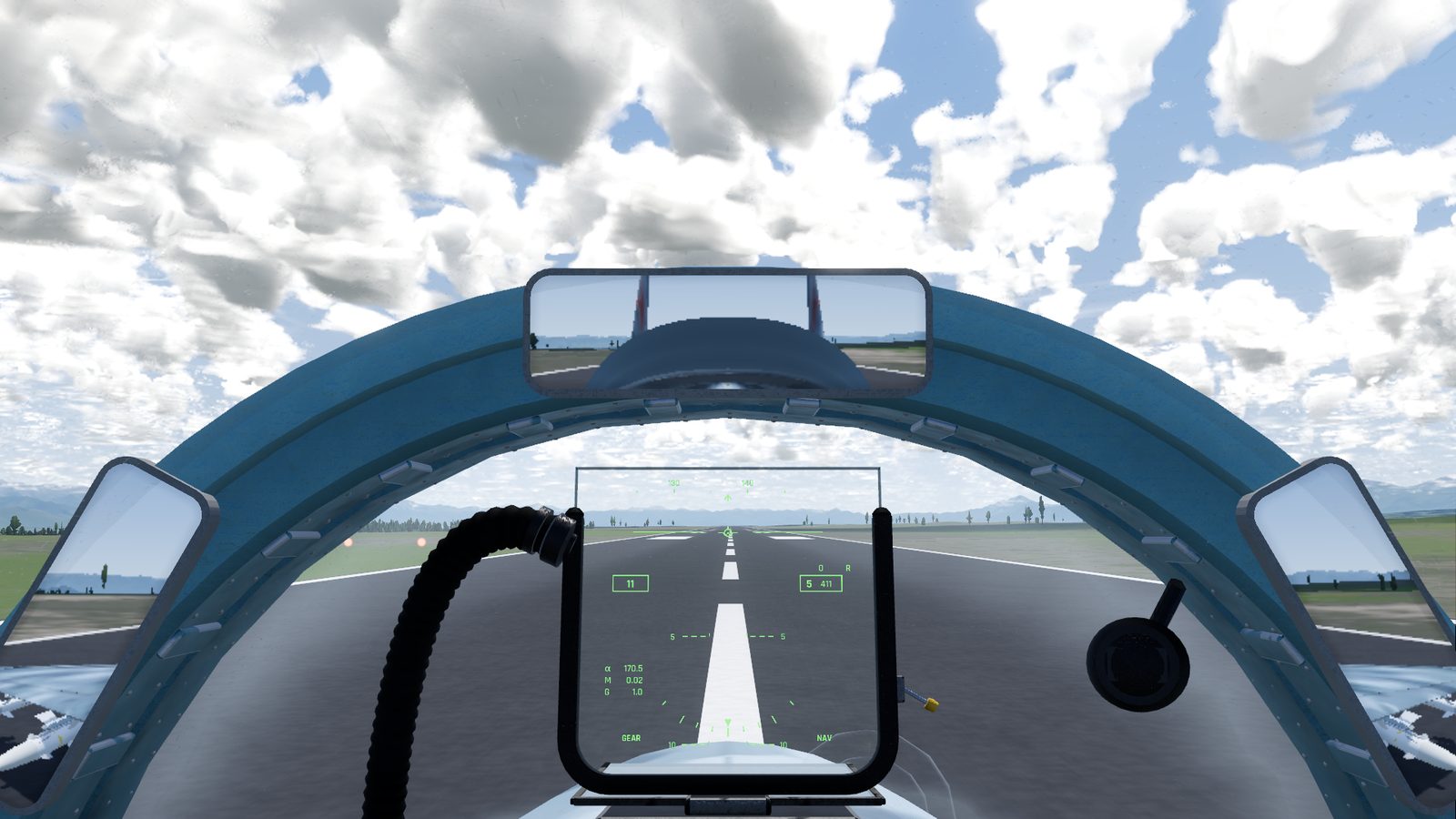
- Rear-view mirrors. Three on the front of the canopy frame: a wide one on top and a narrow one each side. They show real reflections that shift as you move your head. Fold or unfold them with I. They start folded on the Low and Medium graphics presets. Because they are fixed to the canopy, they move when it opens.
- HUD sun shade. A tinted filter that swings up behind the HUD glass for flying into the sun. Press U, or click the shade or its lever.
- Standby compass, hanging from the windscreen frame: for looks only.
Lights
- Cockpit lights, N: the instrument backlighting and floodlights. They come on by themselves when you start at night (before 07:00 or after 19:00).
- Flashlight, O: a small torch beam that follows where you look, in the cockpit view only.
The stick, pedals and throttle
The stick moves as you fly, the rudder pedals move with Q and E, and the throttle slides with Shift and Ctrl. The cockpit has no pilot model: you don't see arms, hands or legs.
Checked against FlightOut 0.5.2.